Proctoring Live-reviewed exams
Test takers identification
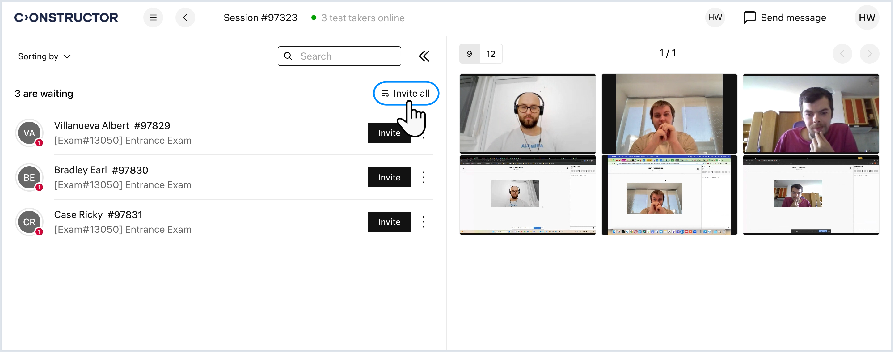
Before a test taker can start the exam, they have to take a photo of their ID or their face, or both (depending on exam settings). Your task is to identify each person using these photos and let them start the exam afterwards. To do this:
- Click a test taker's record in the list:
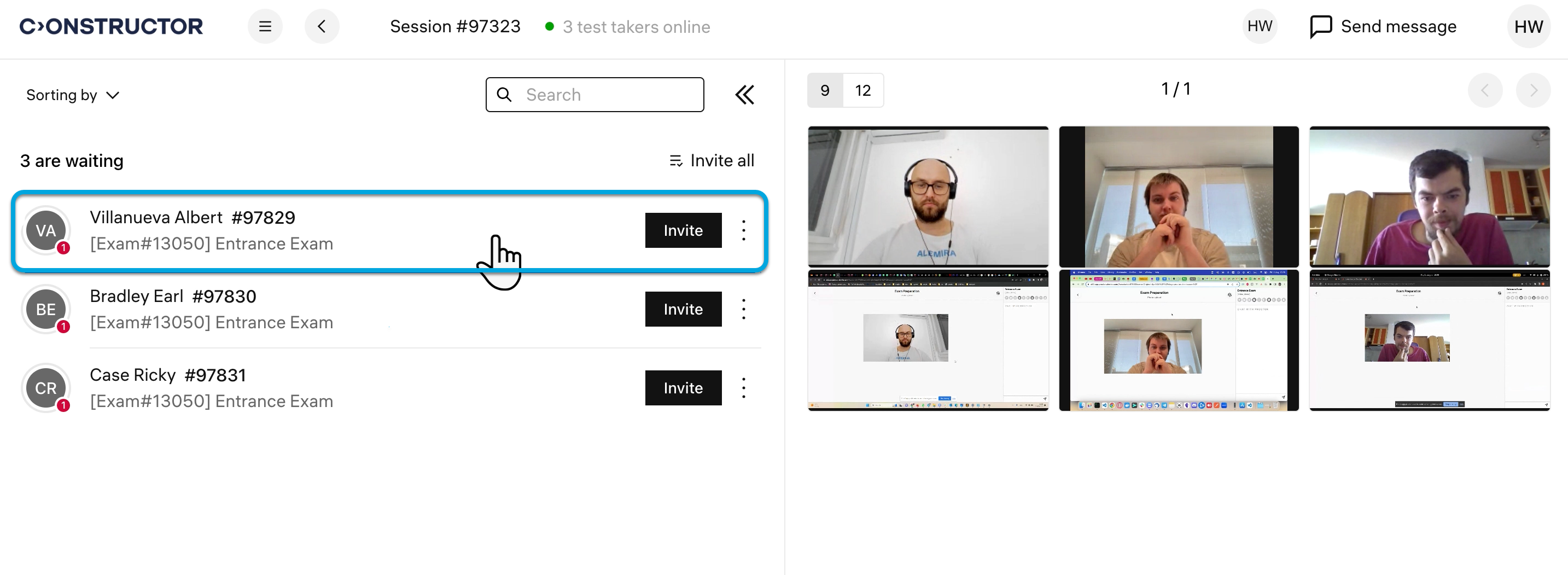
You’ll see a personal view for the selected test taker. It represents a list of events with the test taker’s ID, face photos, chat history, and AI-detected alerts.
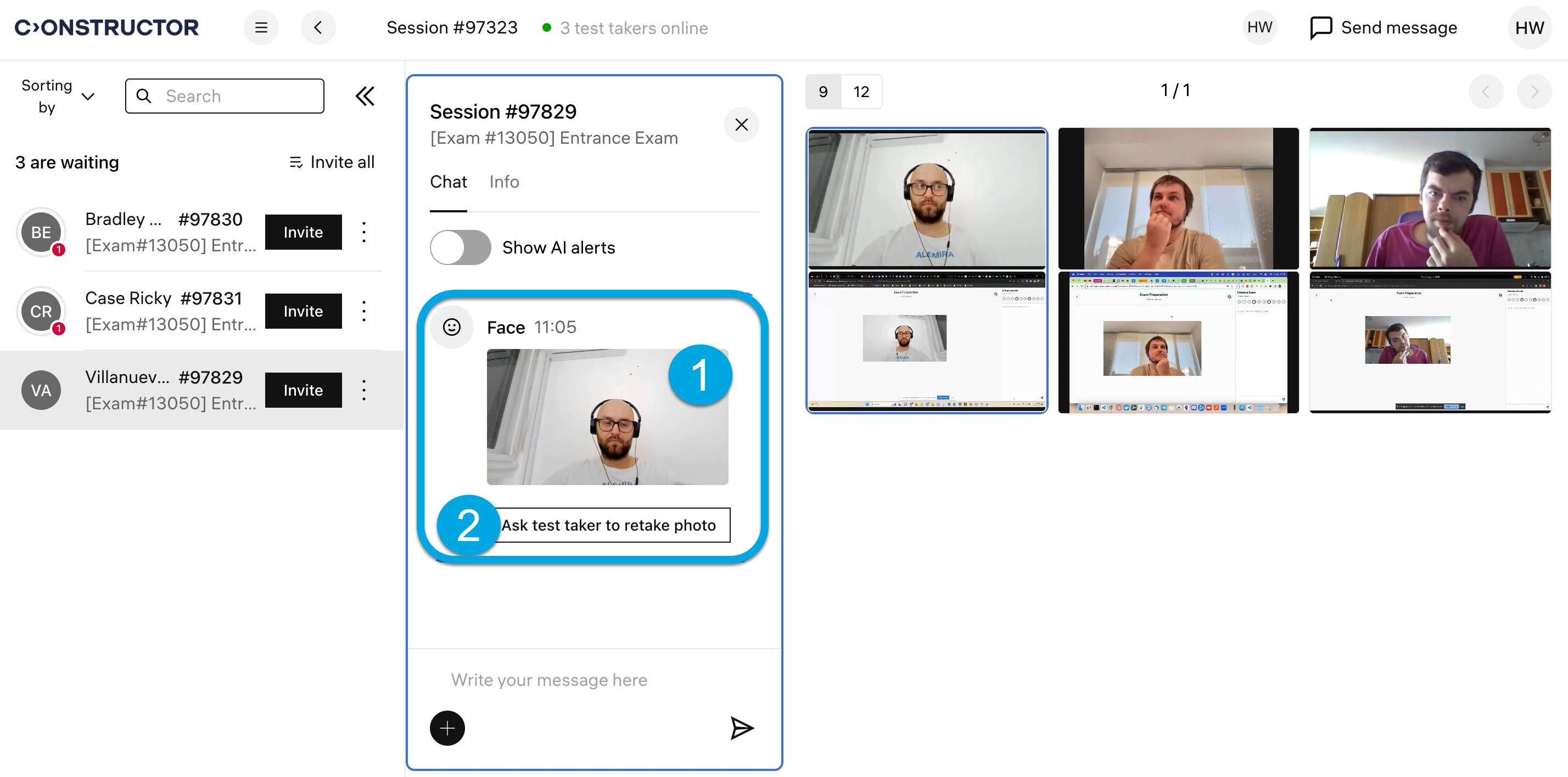
- Click the photo to maximize it (1 in the screenshot). If it is dark or blurry, request a new photo (2 in the screenshot):
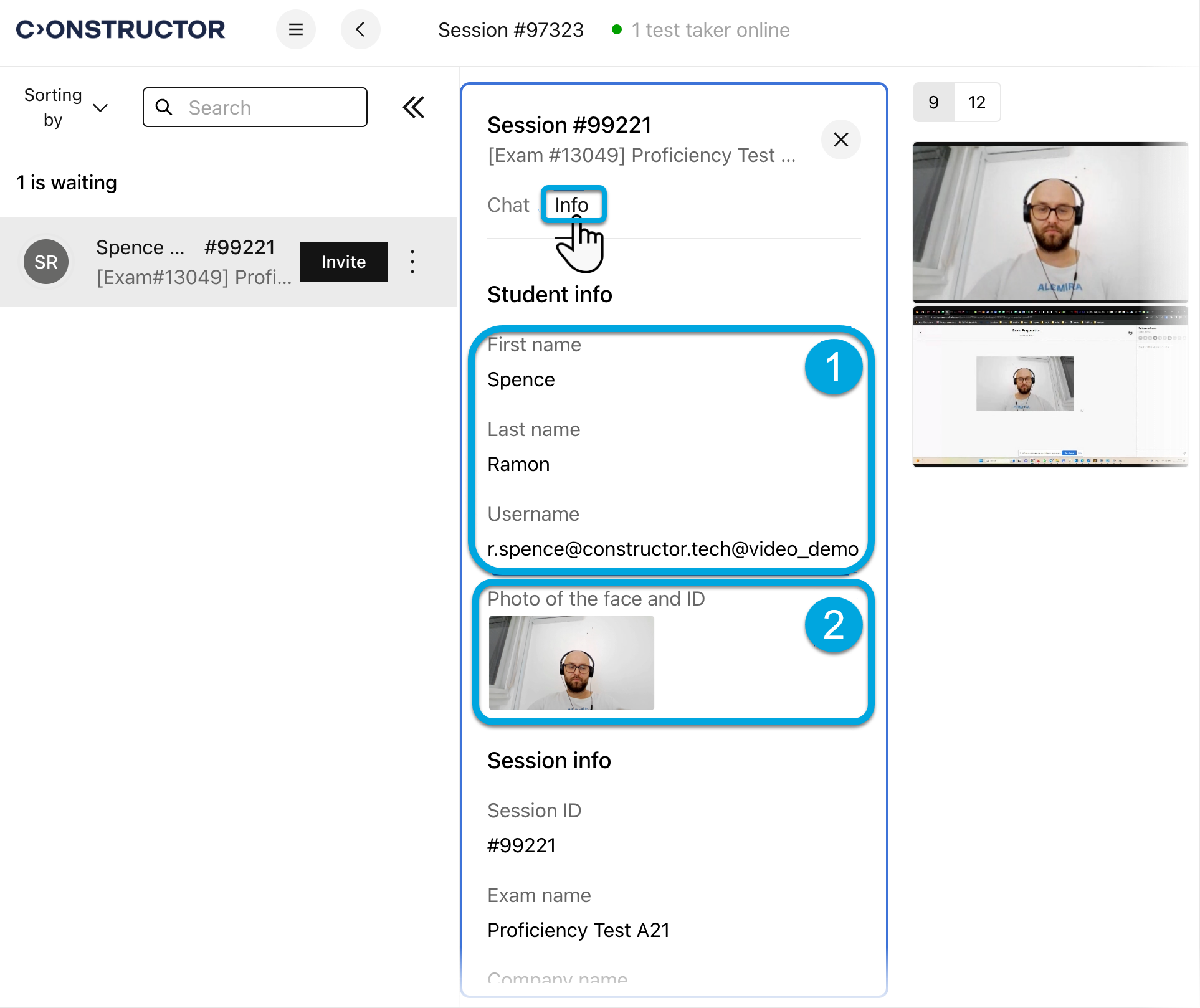
Open the Info tab of the examinee's personal view if you need to double-check their information, including their name, email address (1 in the screenshot) and identification photo (2 in the screenshot):
- To let the person start taking the exam, click Invite next to their name:

- Repeat steps 1–3 for other test takers.
| Information | You can also let everyone in the session start the exam at once by clicking Invite all. |