
Proctoring Post-reviewed exams
What is post-exam proctoring?
Post-exam proctoring is the process of reviewing recorded exam sessions to ensure compliance with exam rules. Unlike live proctoring, post-exam proctoring focuses on one test taker at a time.
The process works as follows:
- While a test taker takes a test, their screen, webcam and microphone are recorded by Constructor Proctor. The recorded session is uploaded to our server and saved in the Archive.
- A proctor opens the Archive menu and selects a session for review.
- The proctor uses a log of AI-generated warnings to find and check moments of suspicious behavior in the session as follows:
- If the AI missed a potential rule violation, the proctor manually adds a warning.
- If the session contains too many warnings, the proctor sets its status to Declined.
- If the exam was taken fairly, the status is set to Approved.
Now let’s break down the post-exam proctoring process step by step.
Proctoring process
Exam rules
Check the exam rules so that you know what actions are allowed (1) and what are prohibited (2) for the examinee:
If you hover the cursor over one of the icons, you will see a tooltip with a description of the rule: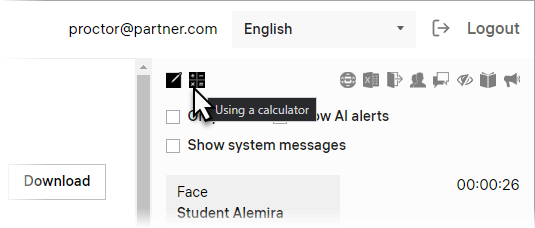
After checking the exam rules, you can start watching the session.
Exam video
There are two videos in each exam session: a webcam recording and a screen recording. They are synchronized so you can see both the examinee and what is displayed on their monitor at any moment during the exam.
- Start playback:

You can also start playback by left-clicking on one of the videos or pressing the Spacebar. - Move the playhead to seek through:

💡 You can seek in 2-second increments by pressing Left or Right on your keyboard. - To increase playback speed, use the 1x-10x slider:

- To zoom in on a video, right-click on it:
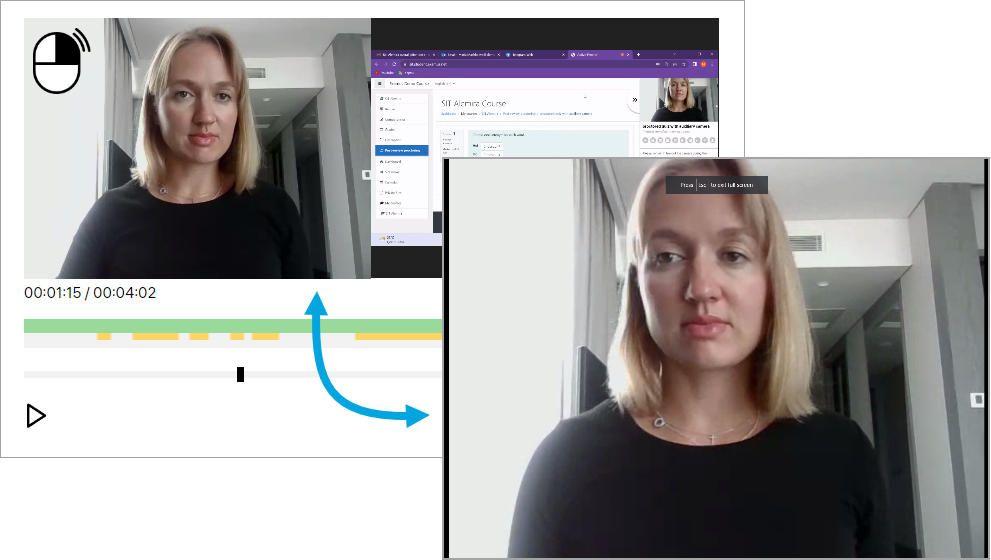
Right-click on the video again to minimize it.
Warnings
Manual warnings
When you catch the examinee misbehave, pause playback to add a warning:
- Click Add warning:
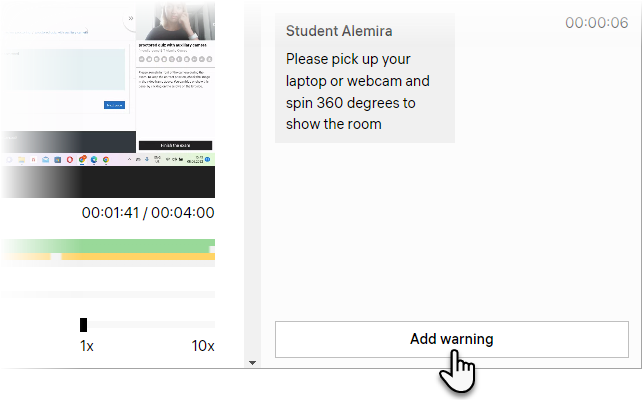
- Select the appropriate warning type from the list:

- Click Send:

The warning will now be displayed in the session log with a timestamp:
Now other proctors will see this warning when they review the session.
Delete a warning
If you added a warning by mistake, you can always delete it – point the cursor to the right from the manually-added warning and click Remove: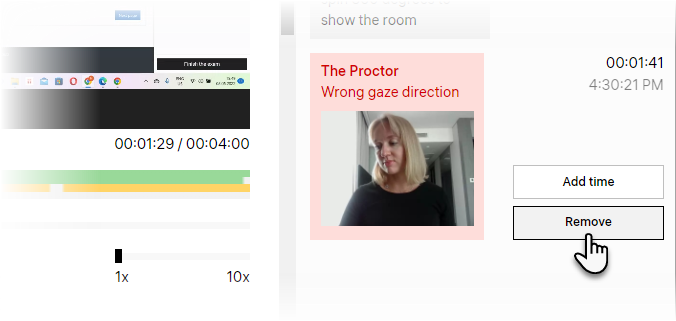
AI-detected alerts
- Our AI analyzes each exam session and saves detected alerts into the session log. In order to see these alerts, click the corresponding option:

- AI-detected alerts will be displayed in the log with this icon:
- To fast-forward the video to 5 seconds before the event that triggered the AI alert, click on its starting time:

- To confirm an AI-detected alert, click the corresponding button:

Confirming AI-detected alerts will make them appear in the Confirmed by Proctor list.
Set the status
When you watched the entire session and added warnings for all accounts of misbehavior, you’re ready to submit the proctoring review. This review will determine whether the student’s exam score can be trusted or not.
- Scroll the page down to see Status detection in post proctoring:
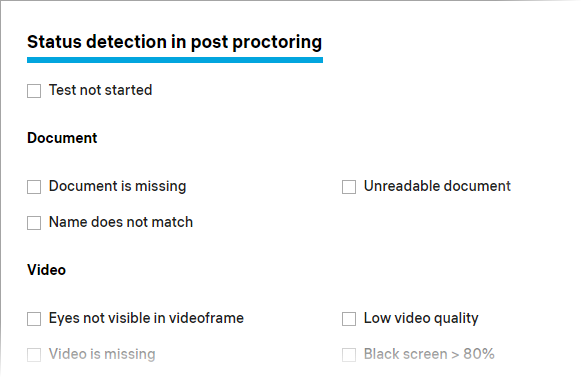
- If you counted 3 or more warnings of the same type, mark the corresponding box in the list:

It can be a different number of warnings depending on your approach to proctoring. Just make sure that all of your proctors are using the same grading system in session review. - Set the review status to Declined and click Send to save the changes:

If the examinee did not misbehave during the session, select the Approved status and click Send.
Now you can go back to the archive and proceed with the next session to review it.