December 11, 2024
In this release, we’re excited to announce a long-anticipated update to Coach, our application companion. As a dedicated parent, guardian, or educator, you might be curious about how the following changes will benefit you and your young learners.
Overview
For parents, we've added the following features:
- Activity tracking
- Area and topic progress tracking
- Access to training history
- Access to learning content
- Learning settings
- Quick access to subscription, billing, and Support
- Calcularis learning analysis
For teachers, we've added the following features:
- Adding learners to groups made easy
- Adding fellow teachers to groups now enabled
- Teacher list now available in User Management
- Teachers can now create groups in User Management
- Feedback form available in Coach
- Learner names displayed during license editing
What's new for parents
Activity tracking
You can track weekly and monthly training patterns, session durations, and areas that may need extra attention.
Area and topic progress tracking
Now you can get access to all content available across our applications: word lists in Orthograph, areas, topics, and exercises in Calcularis. This page is perfect for families who want to follow and support their children’s learning journeys.
Access to training history
With training history, you can analyze your child’s performance over time by viewing a chronological record of each day's training activities.
Access to learning content
You can access all content available across our applications: word lists in Orthograph, areas, topics and exercises in Calcularis. This page is perfect for families who want to follow and support their children’s learning journeys.
Learning settings
These settings maximize the adaptive features of our applications by customizing them to suit your child’s unique needs. This allows for more personalized and productive training sessions.
Quick access to subscription, billing, and Support
The user profile now features convenient shortcuts for quick access to Subscription and Billing, and Support. Whether you want to purchase additional licenses, view assigned or unassigned licenses, or connect with our Support team, everything you need is now just a click away.
Calcularis learning analysis
If Calcularis detects any challenges with progress or learning behavior, it will display a notification above the activity table, helping you stay informed and assist your child.
What's new for teachers
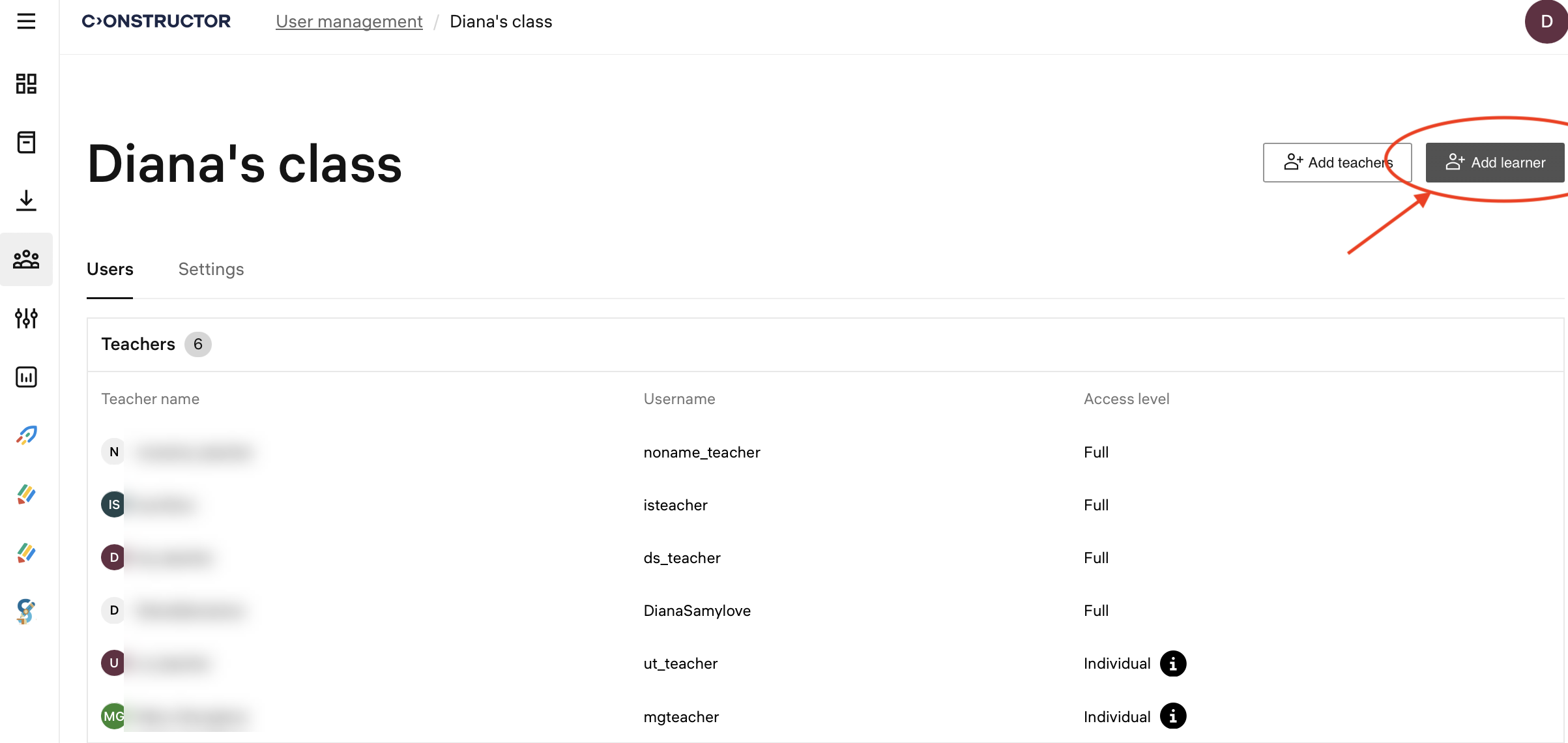
Adding learners to groups made easy
The process of adding learners to a group profile has been simplified. Now teachers can add learners directly to the group, without the mandatory group selection step, which makes the learner profile creation more straightforward.
Adding fellow teachers to groups now enabled
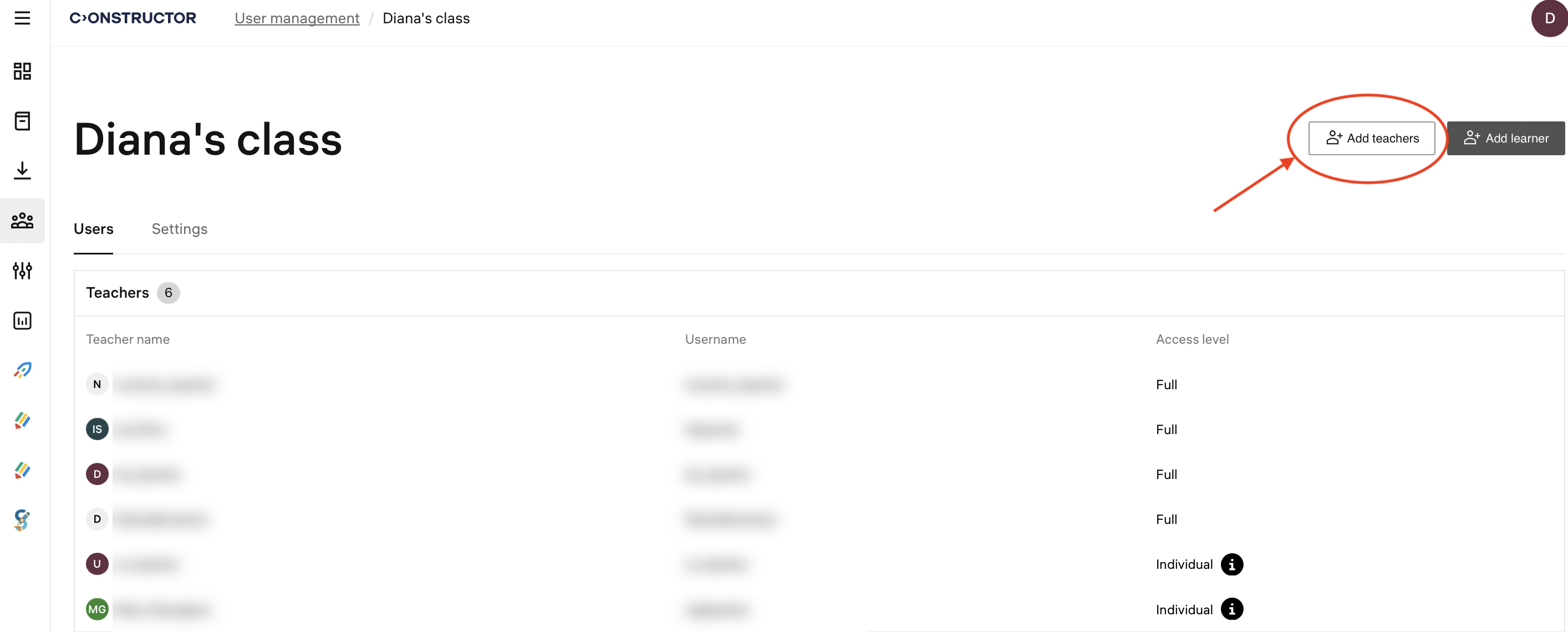
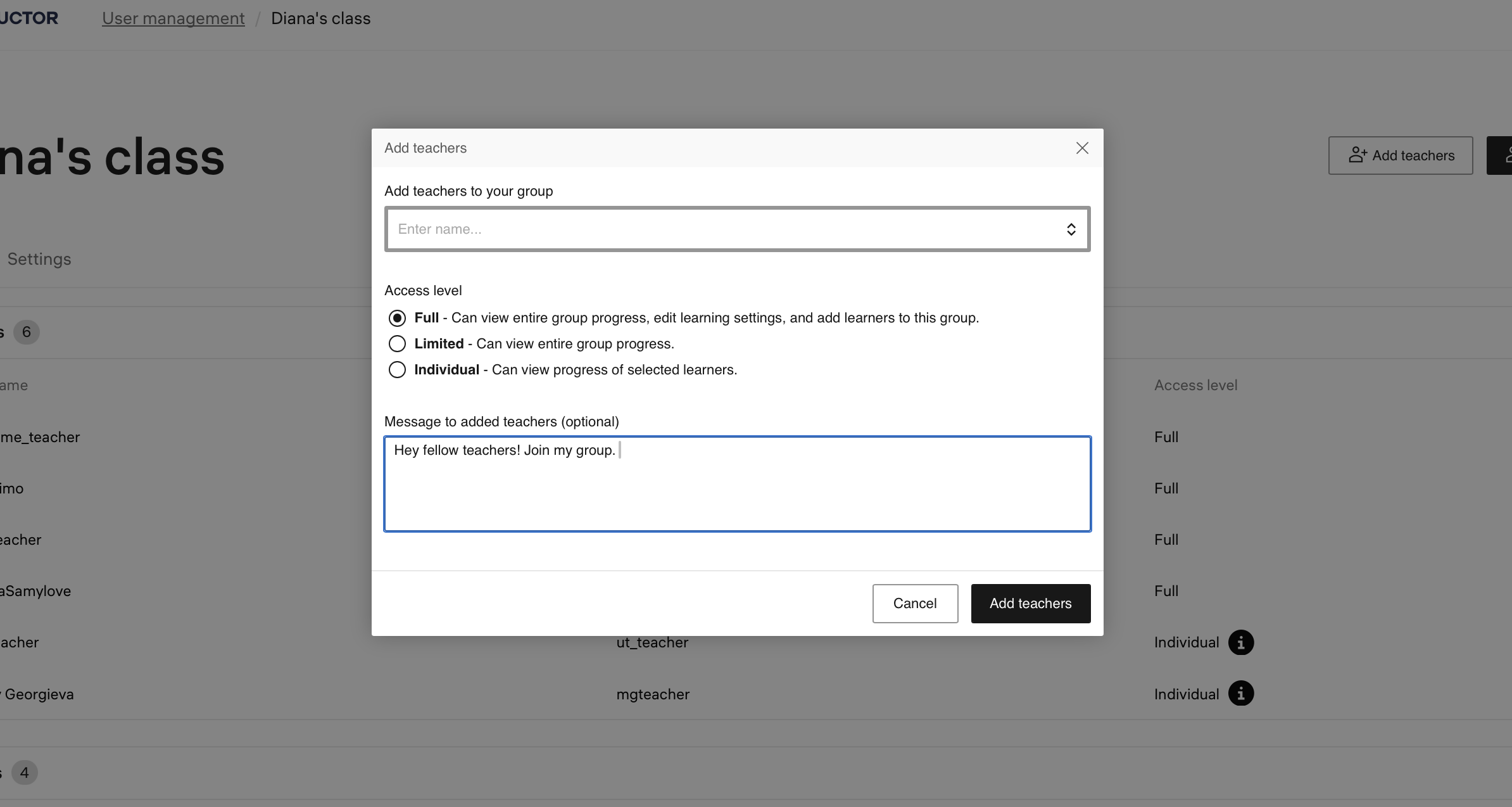
Previously, only admin teachers could add other teachers to groups through the Institution Management platform, which was limiting the autonomy of regular teachers.
Now, all teachers can invite colleagues from their school to join their class, with the option to grant full, limited, or individual access to the group. This change enhances regular teachers' autonomy and encourages more active use of Coach.
Teacher list now available in User Management
Previously, the list of teachers was accessible only to admin teachers through the Institution Management platform. This left regular teachers unable to see which colleagues had access to their group.
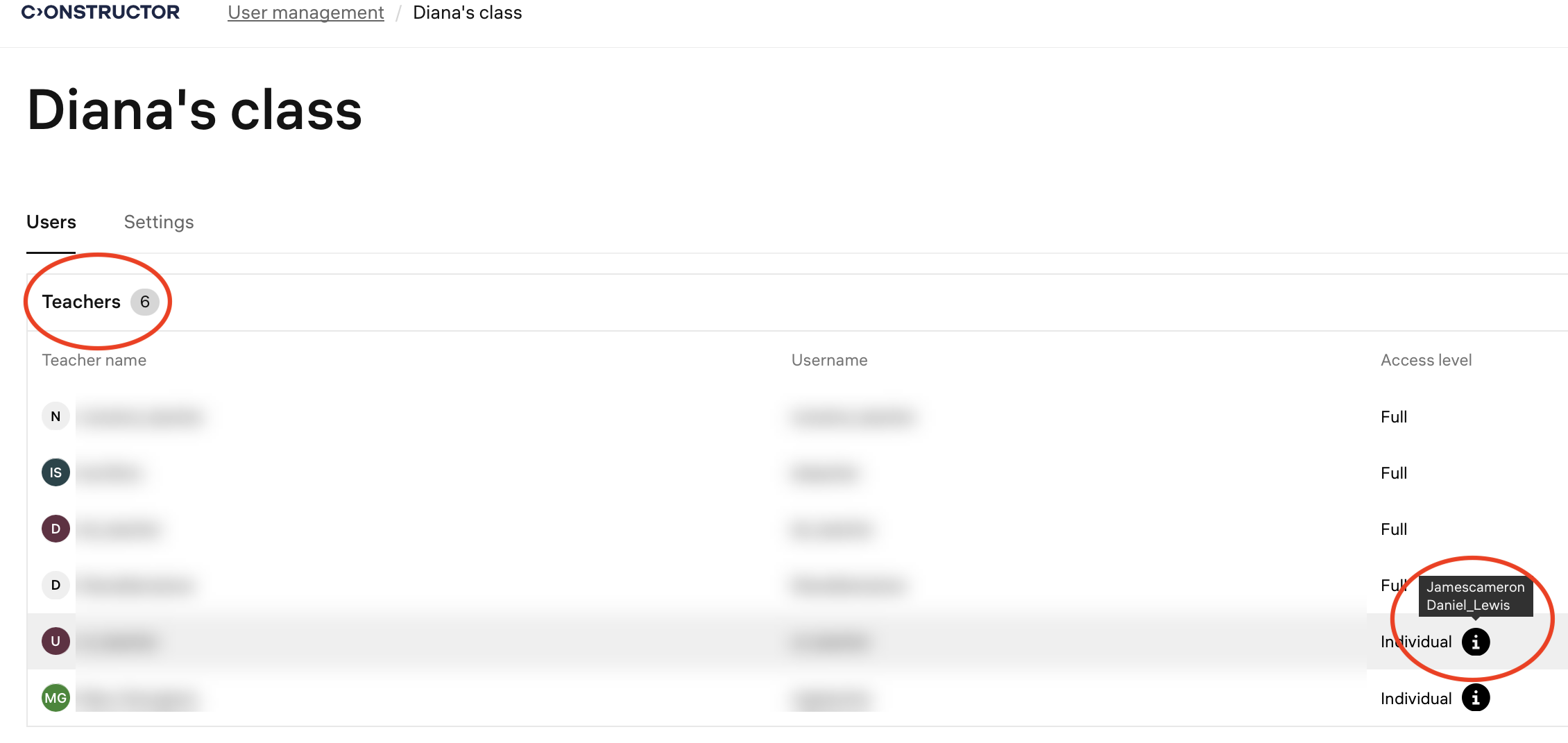
Now, a teacher list is available in the User Management section of the group profile. This list displays each teacher's name, username, and access level. For teachers with individual access to specific students, hovering over the info icon reveals the names of those learners.
Teachers can now create groups in User Management
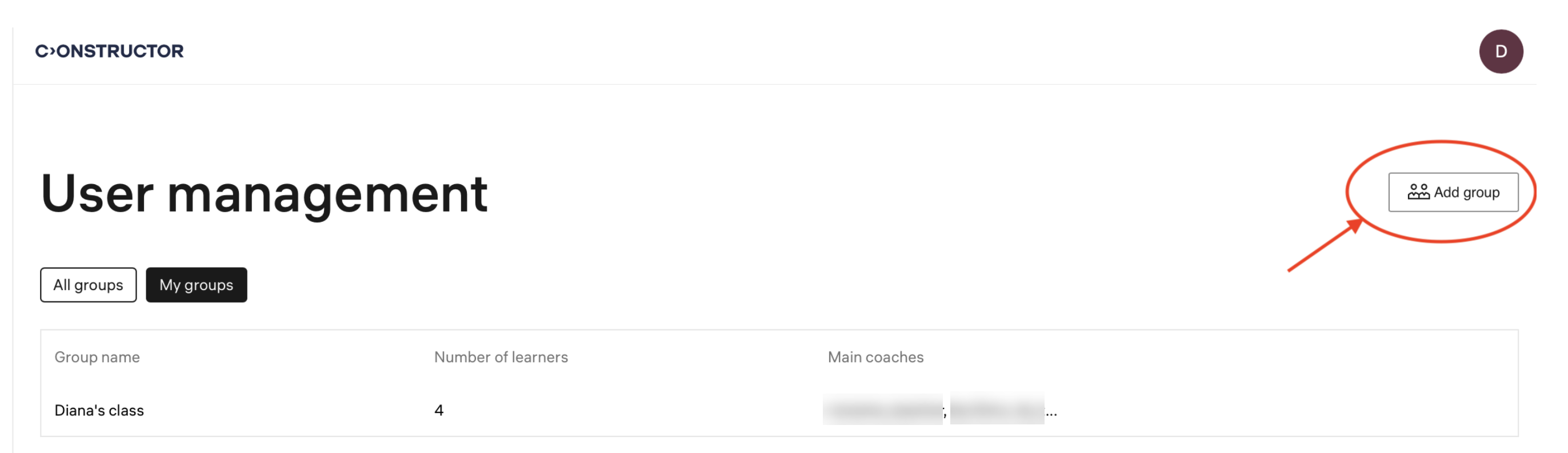
Previously, groups could be created only by admin teachers through the Institution Management platform. This limited regular teachers' ability to organize their classes.
Now, all teachers, regardless of their access level, can create groups and add student accounts directly in Coach.
Feedback form available in Coach
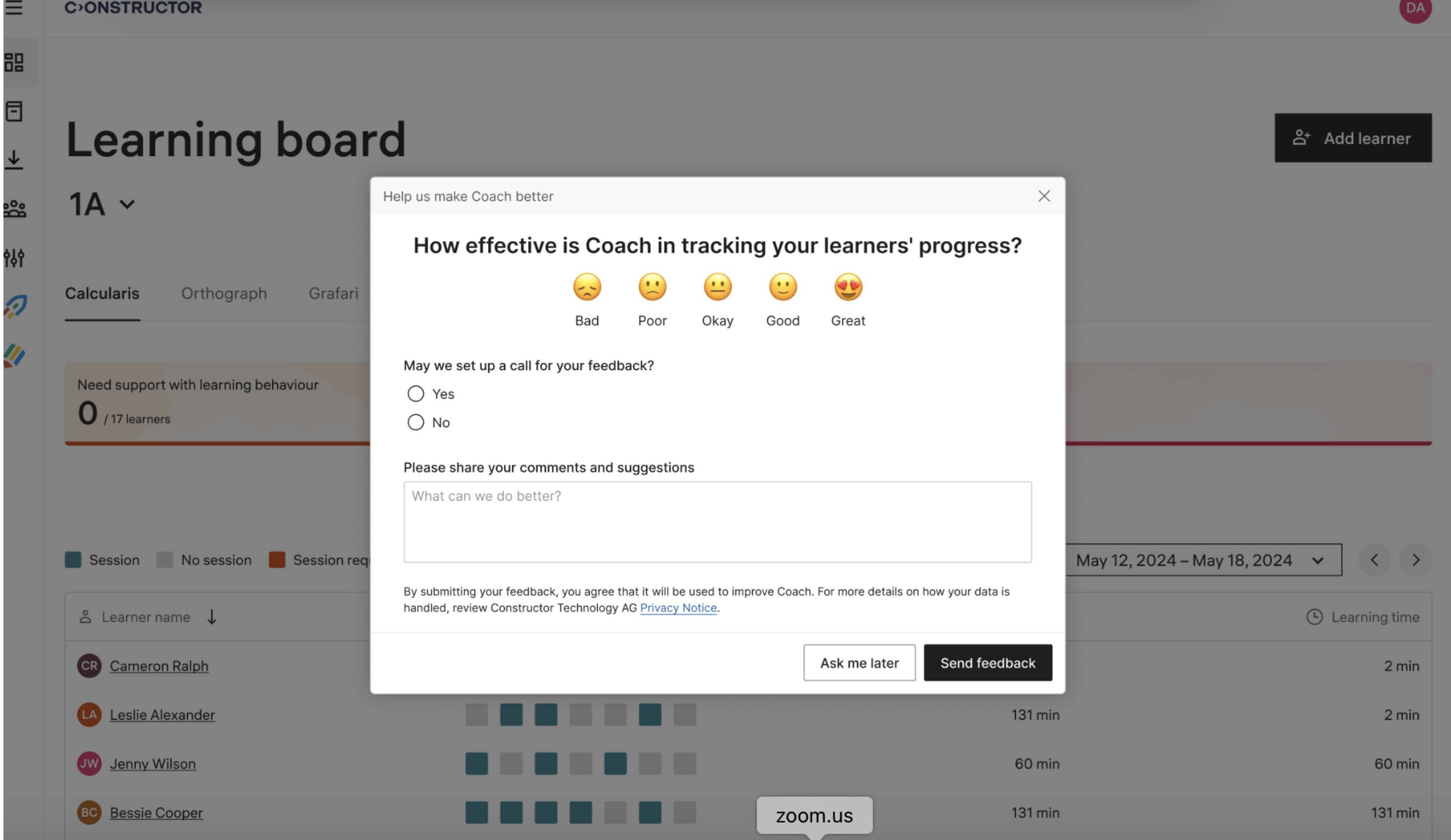
Previously, teachers had no direct way to share feedback with the product team. This made it challenging to gather opinions on updates and new features
Now, a feedback form is available to all teachers who have used Coach for Schools applications for over a month. The form includes targeted questions about user satisfaction and provides the option to schedule meetings with the product team for further discussion.
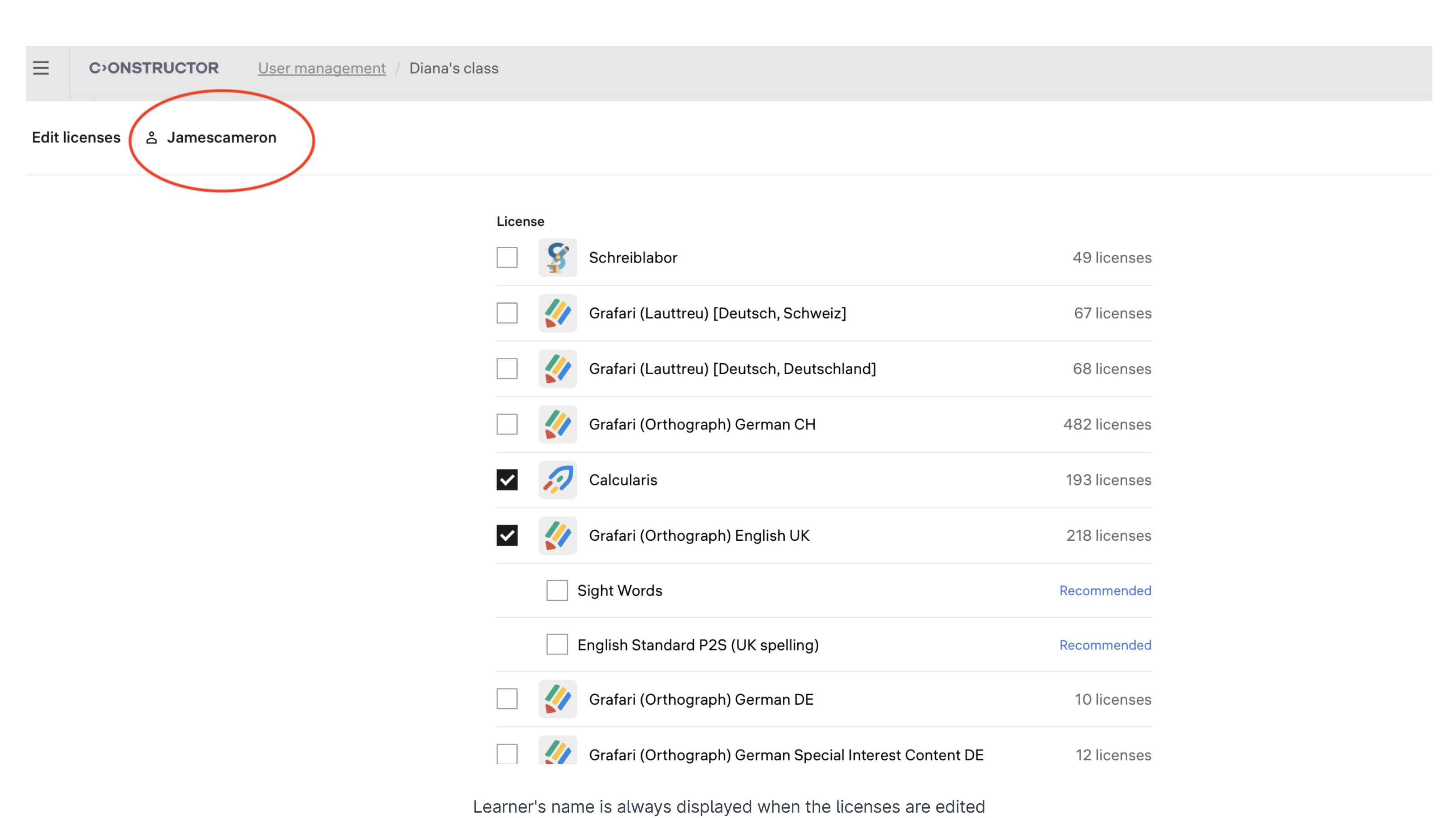
Learner names displayed during license editing
Previously, when editing licenses for a specific learner, their name was not displayed, which could cause confusion for teachers.
Now, the learner’s name is prominently displayed during license editing, ensuring clarity and helping teachers stay focused.