Assessing learner progress
With Constructor Schools, you can track learners' progress in their independent work and quickly identify areas or exercises where support is needed. Depending on your access permissions, you can either see only the groups (classes) assigned to you or view all existing learner groups.
On the Learning board, you can check learners’ learning efforts for each week and see the total logged in time and learning time. In case there’s a substantial difference between the logged in time and learning time, a learner may experience difficulties and need your assistance. Troublesome sessions are indicated with red.
To check learners' progress:
- Log in to Constructor Schools, click Coach.
- In the Learning board, select the learner group (class) that you want to monitor.

- To filter the data for a specific learning week, select the week you need.
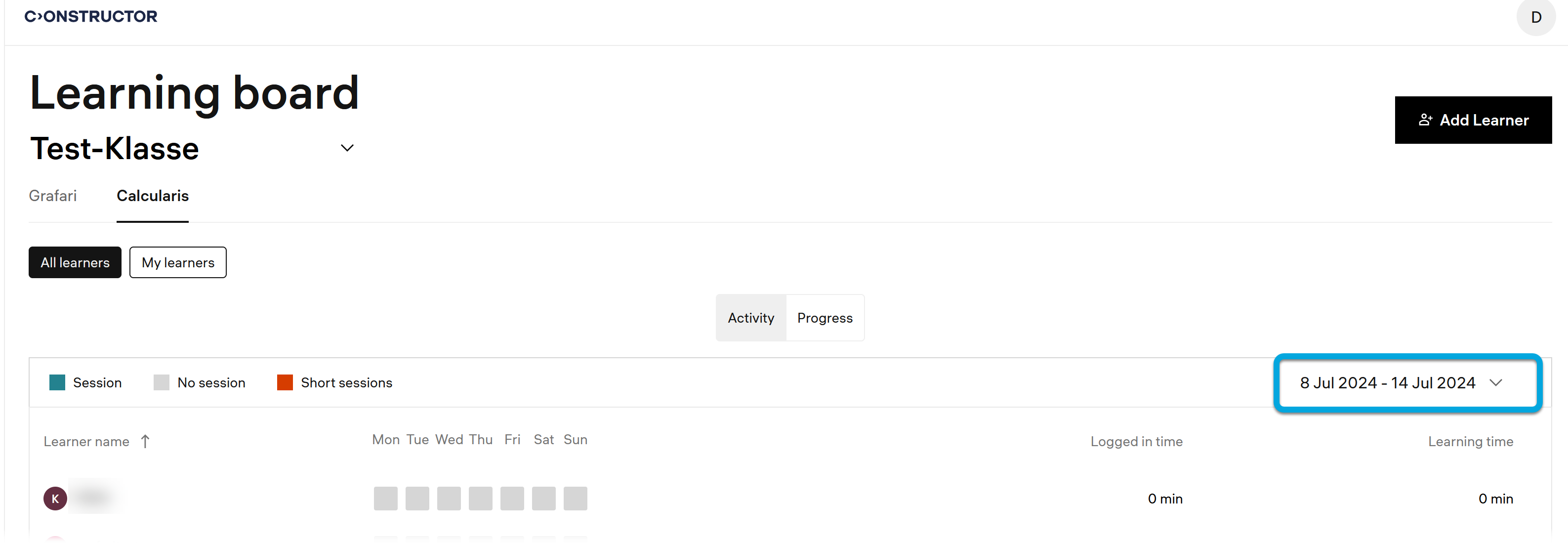
You can see on which days each learner had sessions (1 in the screenshot below), had no sessions (2), or had problematic sessions where they experienced difficulties (3).

The session icons are clickable.
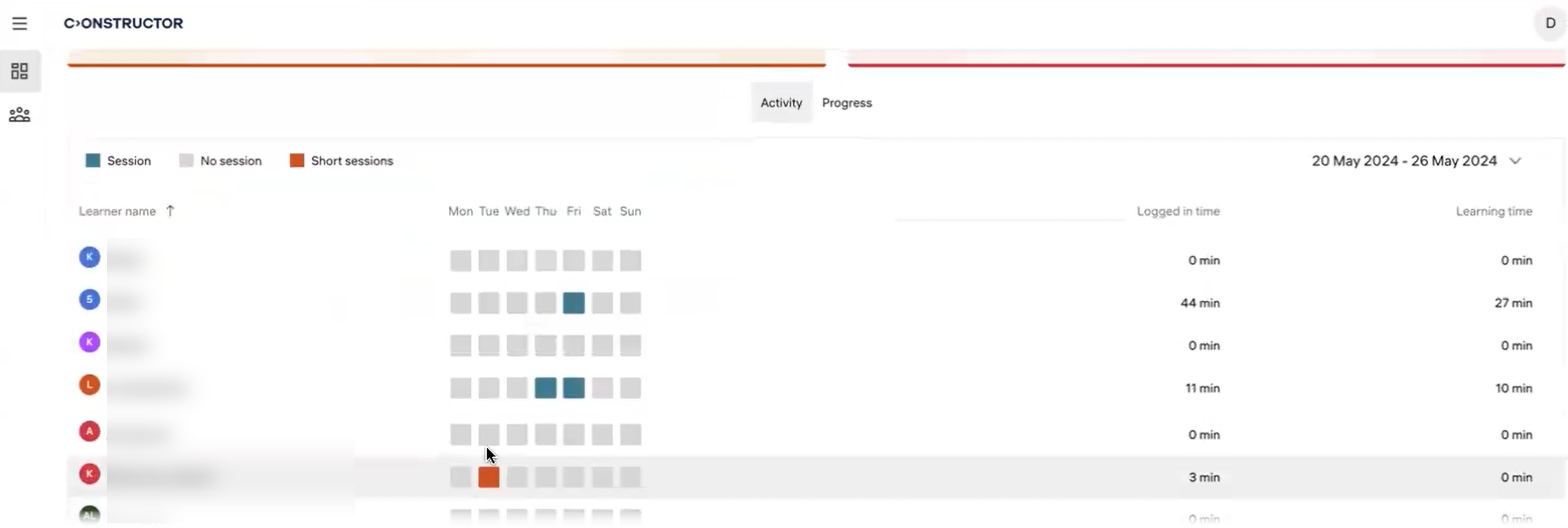
- If any learners in this group struggle with the learning process, the number of learners will be displayed in the respective problem area. Such learners require additional attention. See Identifying learner support needs.
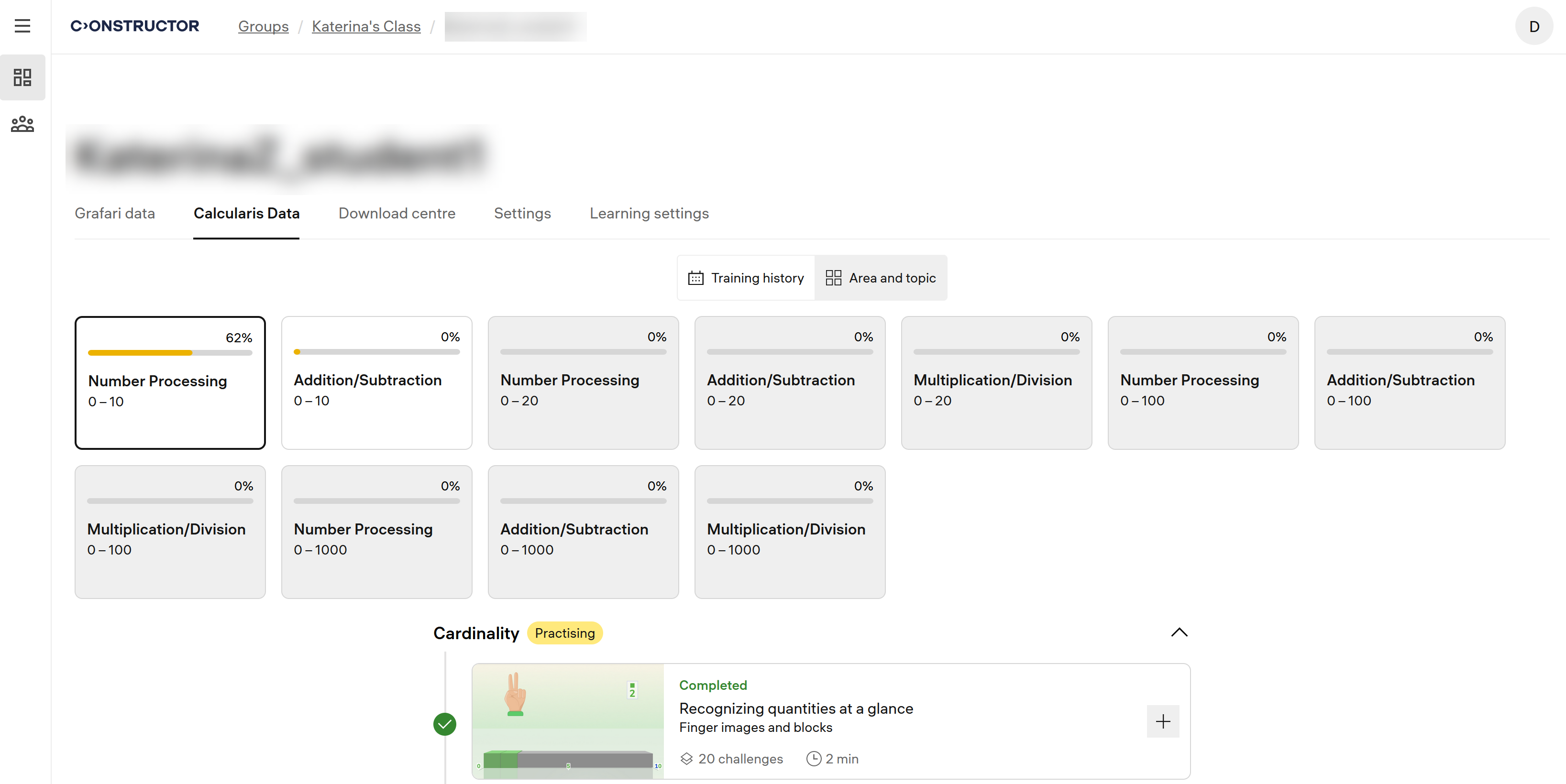
On the Area and topic tab, you can view the learner's progress in each topic.