February 5, 2025
Overview
In this release, we’ve added the ability to grade assignments submitted by learners using rubrics. This functionality speeds up the checking of learners' work and helps instructors organize the grading process. See the feature descriptions below for more details:
- Addition of rubrics to assignments
- Grading assignments using rubrics
What's new
Addition of rubrics to assignments
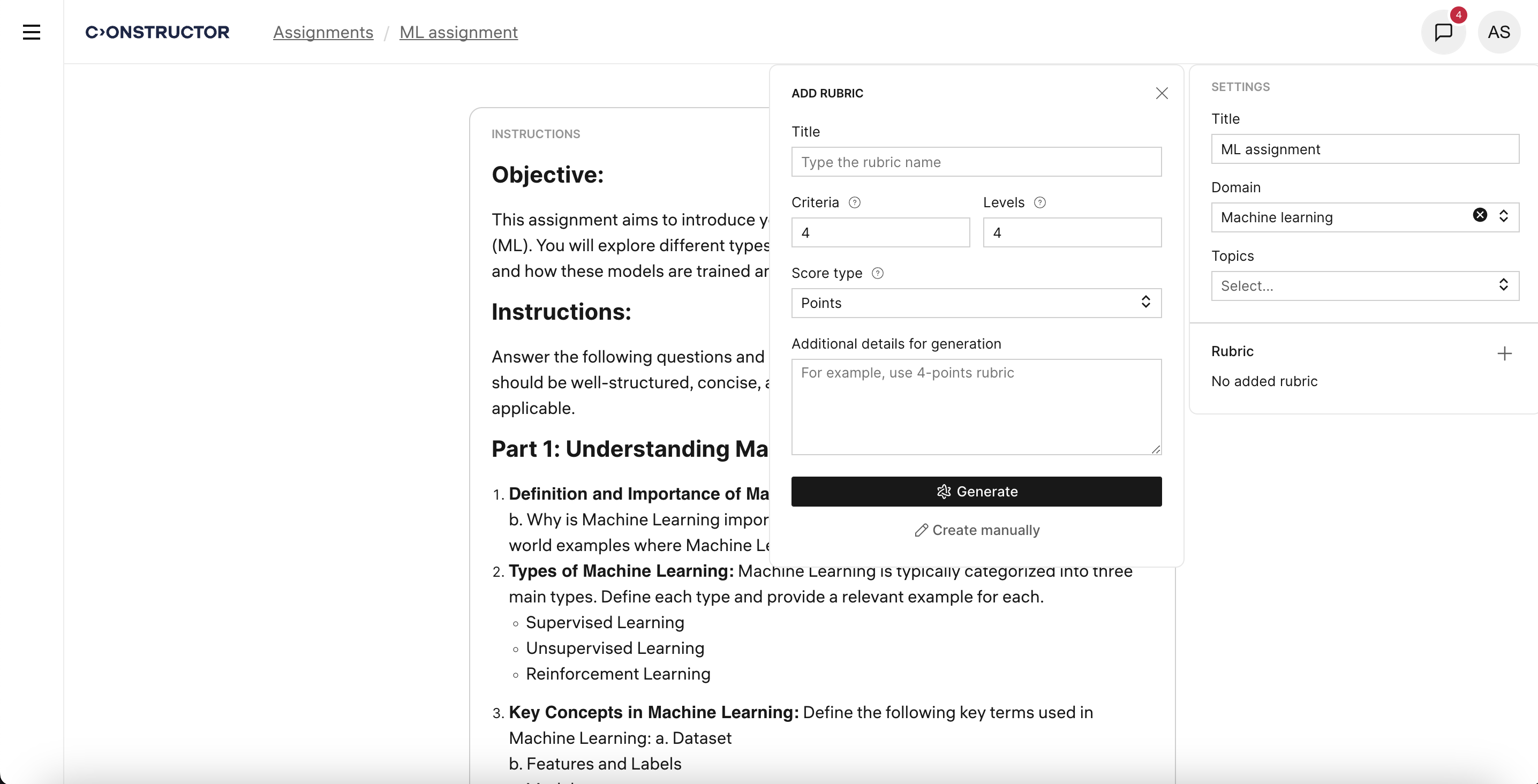
Authors can now create rubrics for any assignment, either manually or automatically. They can define the number of criteria and evaluation levels, as well as provide additional instructions for rubric generation. The full text of the assignment instructions is also taken into account when generating rubrics.
Instructors can edit rubrics.
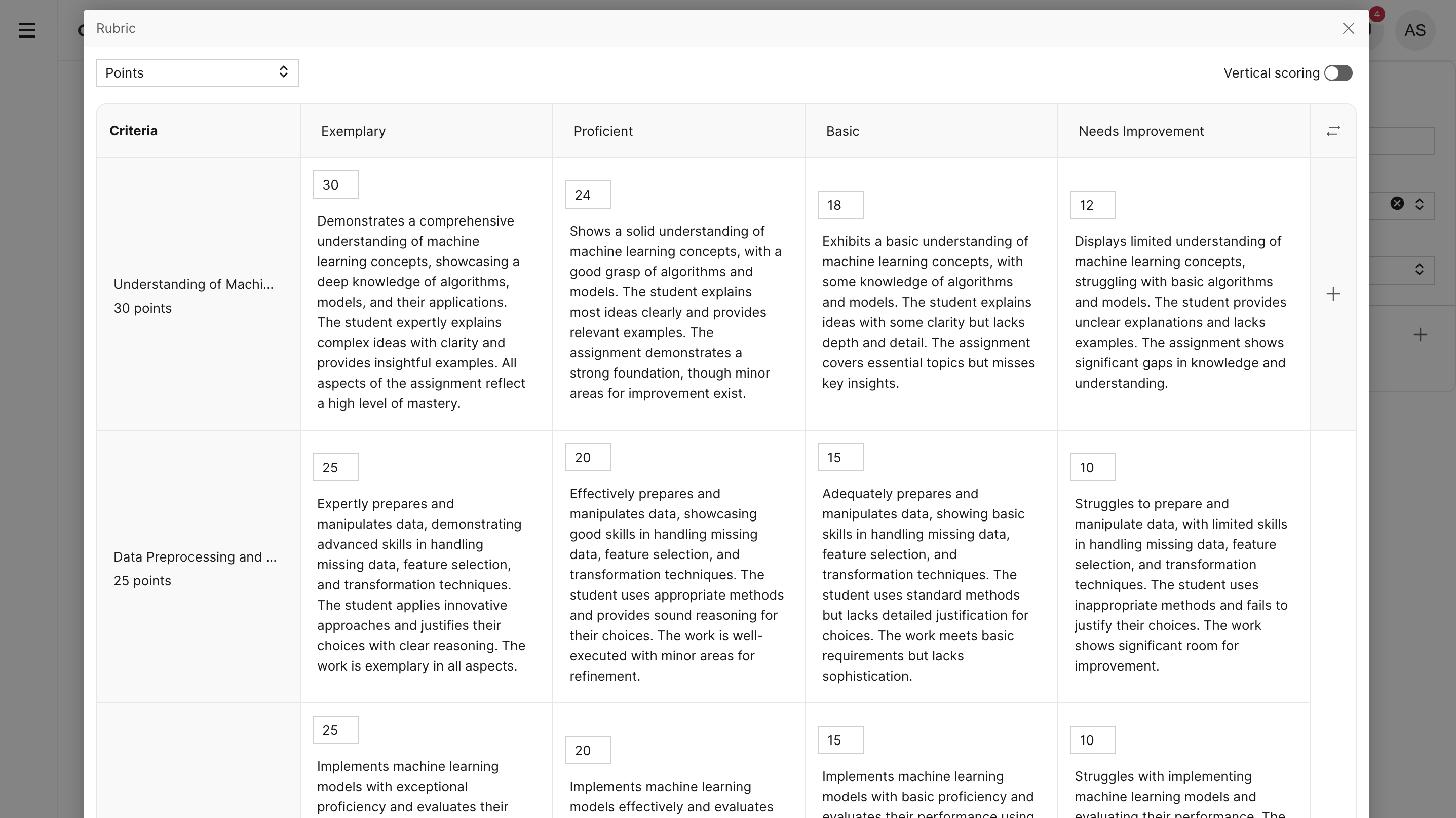
Once a rubric is created and added to an assignment, it can be used when grading learners' responses on that assignment.
Grading assignments using rubrics
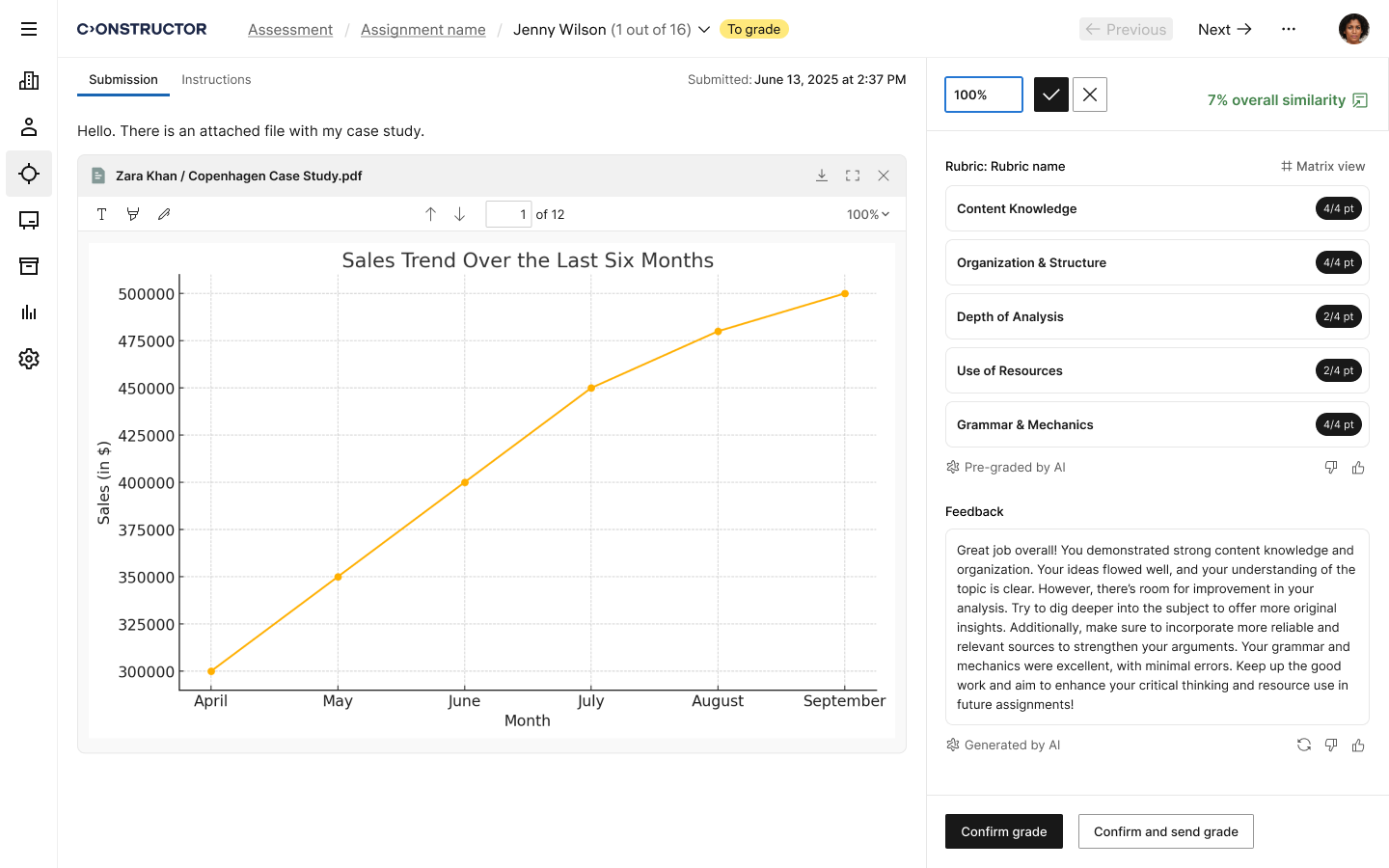
If a rubric is added to an assignment, the grading page will display an interface for grading based on that rubric.
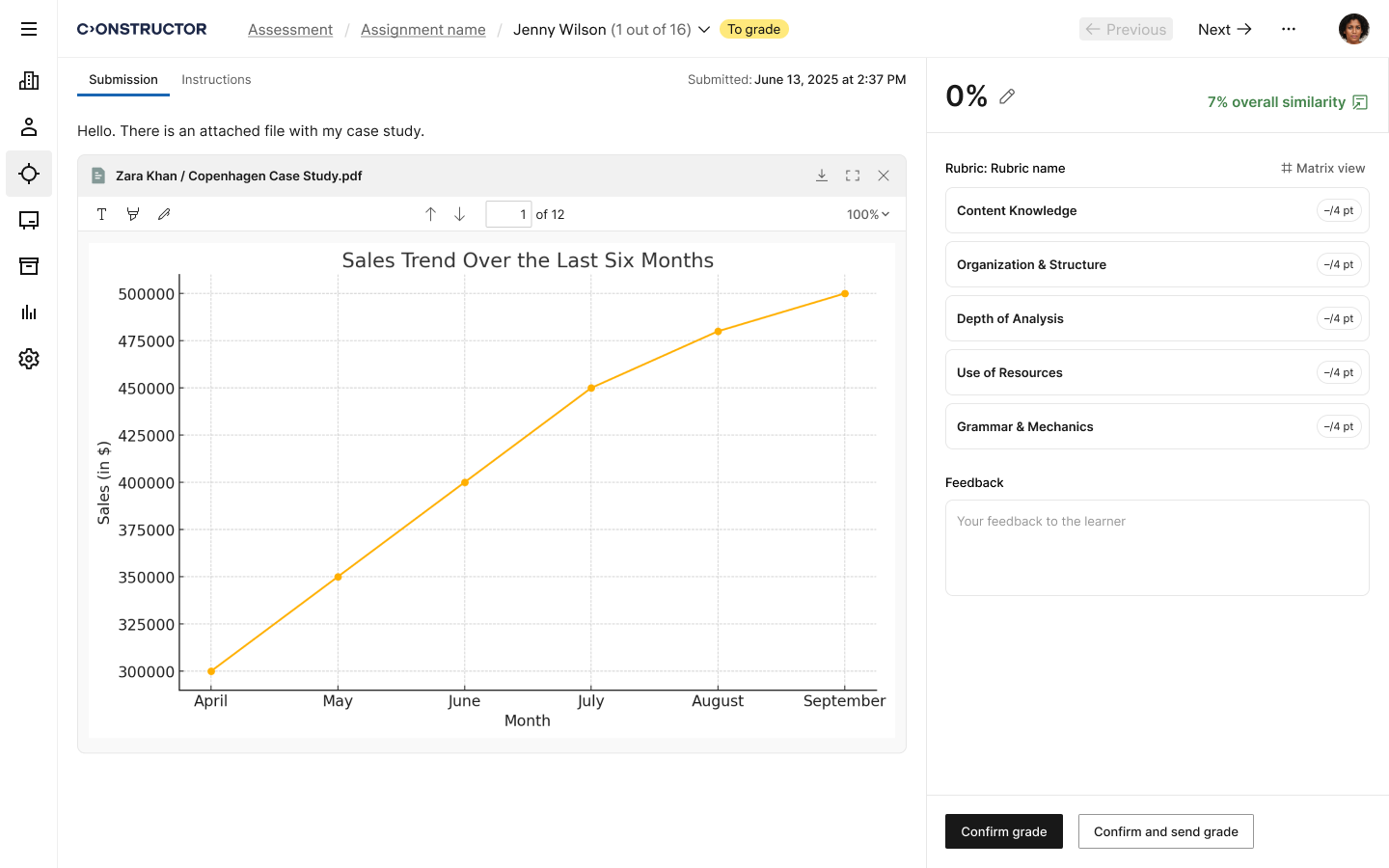
Instructors can select a level for each rubric criterion.
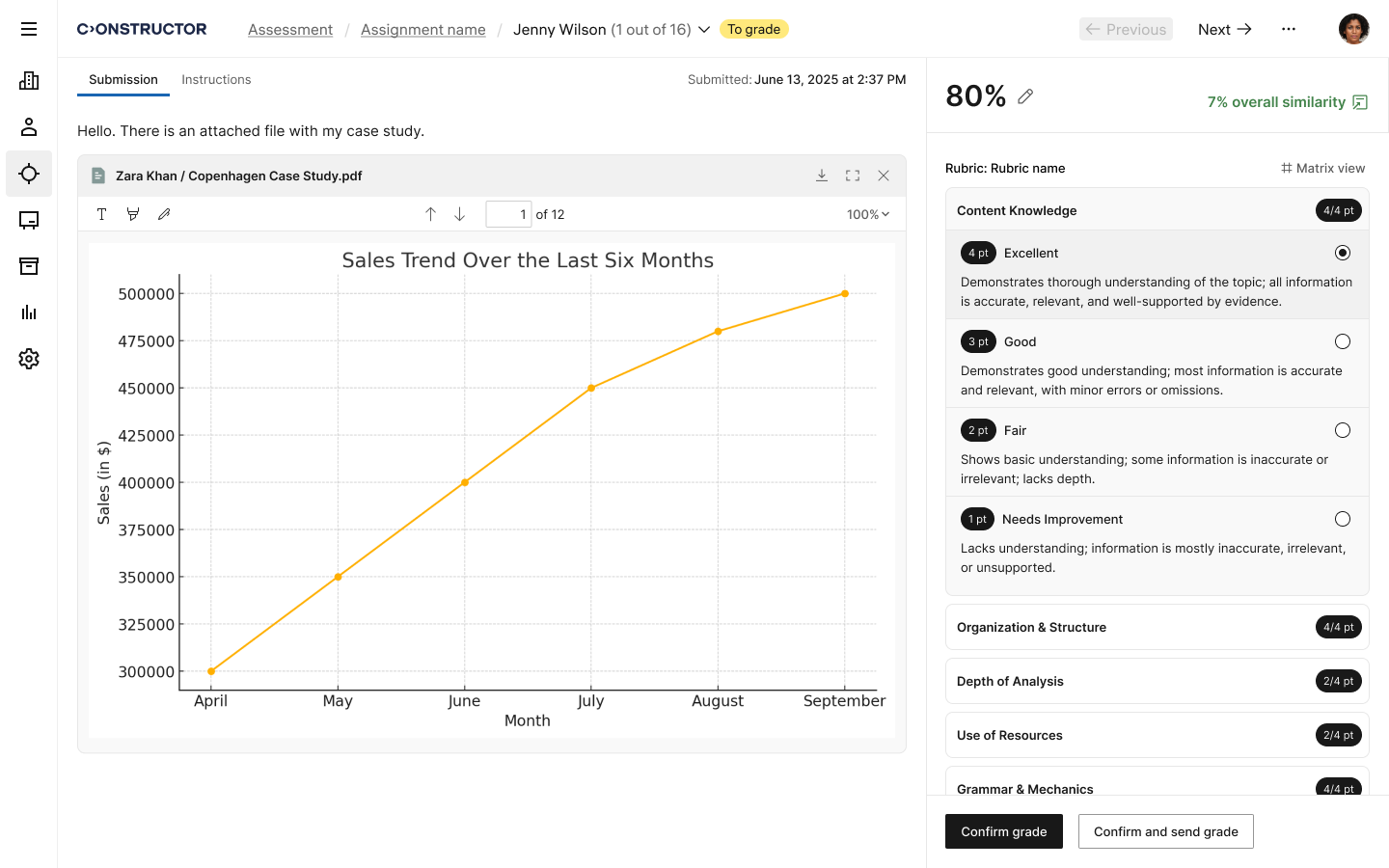
For scoring, a vertical display format or matrix view can be used, depending on the user's preference.
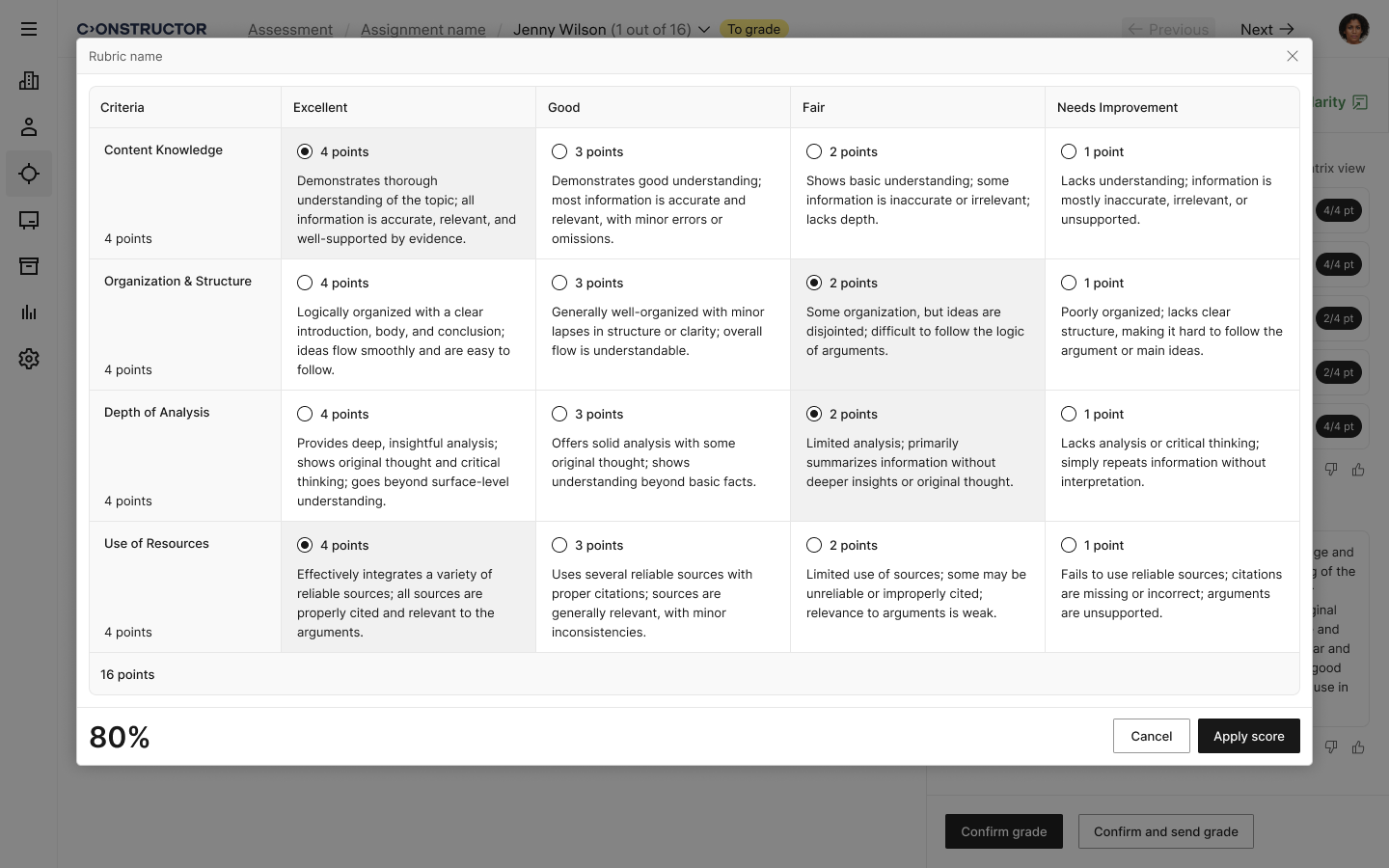
The final score will be calculated automatically, taking into account the selected levels and the weight of each criterion. However, instructors can manually enter the final grade if they choose. The system also allows feedback to be provided in the form of a test or an attached file.