
October 30, 2025
Overview
In this release, we’ve:
- Introduced Turnitin integration for plagiarism detection
- Replaced the Kprime (True or False) question type with a unified Multiple True or False format
- Improved AI grading for free-form assignments
- Enabled integration between Assess AI grading and Canvas LMS
What's New
Turnitin plagiarism detection
We’ve integrated Assess with Turnitin, a widely used academic service for plagiarism detection and originality analysis:
For administrators Administrators can now securely configure Turnitin integration for their tenants using the educational organization’s private Turnitin license provided by Turnitin.

For instructors Instructors can enable or disable Turnitin plagiarism detection for assignments and control whether learners can view their similarity reports.
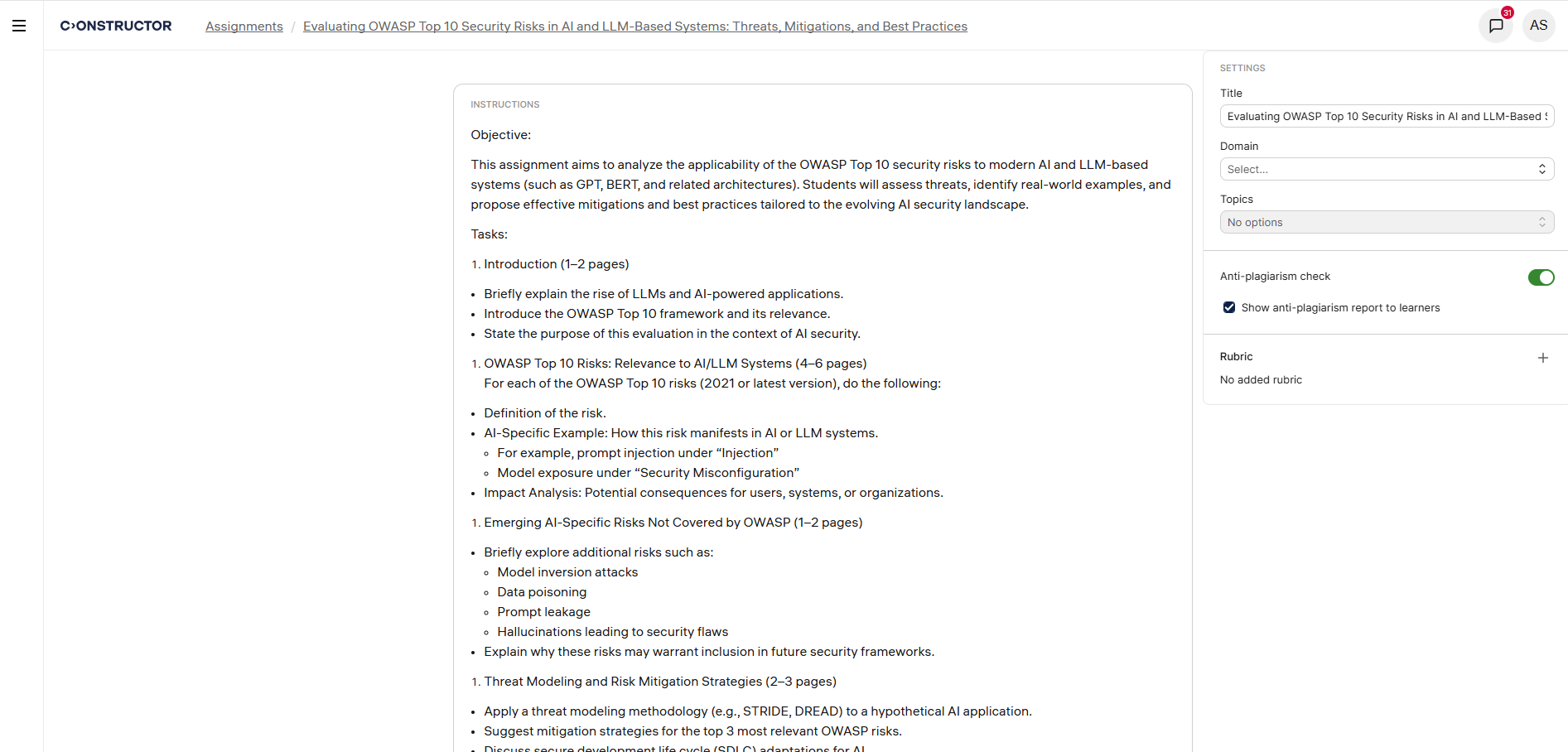
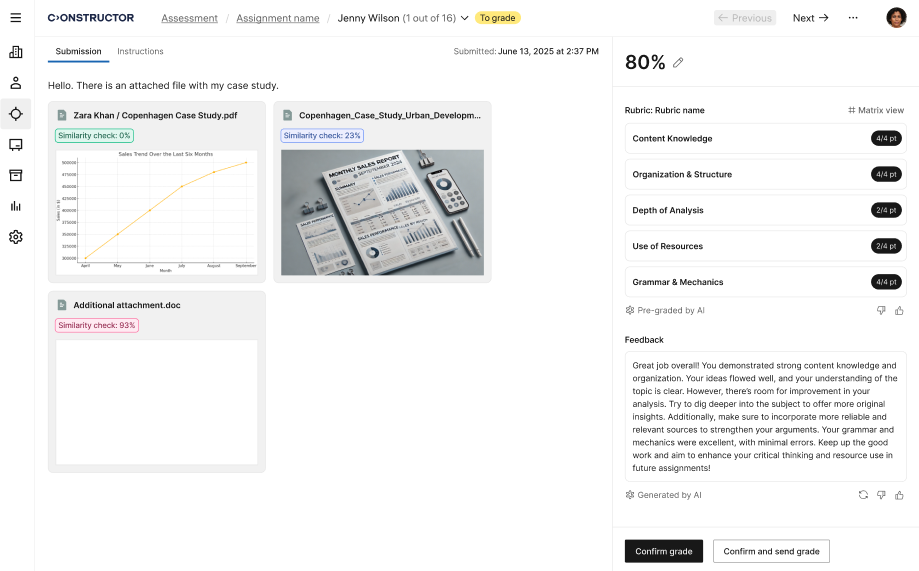
Instructors also have access to detailed Turnitin similarity scores and full similarity reports directly in the grading interface.
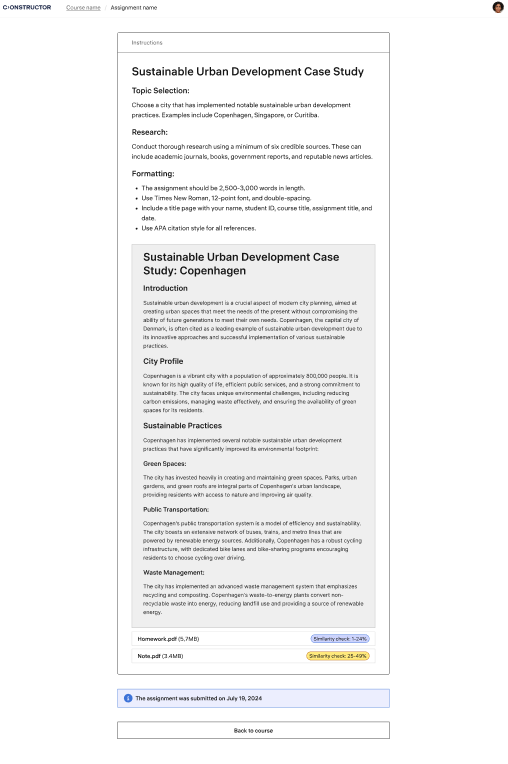
For learners Learners can view their own Turnitin originality reports if this option is enabled by the instructor.
Multiple True or False question type
We’ve merged the Kprime (True or False) question type into Multiple True or False to provide a more flexible question format.
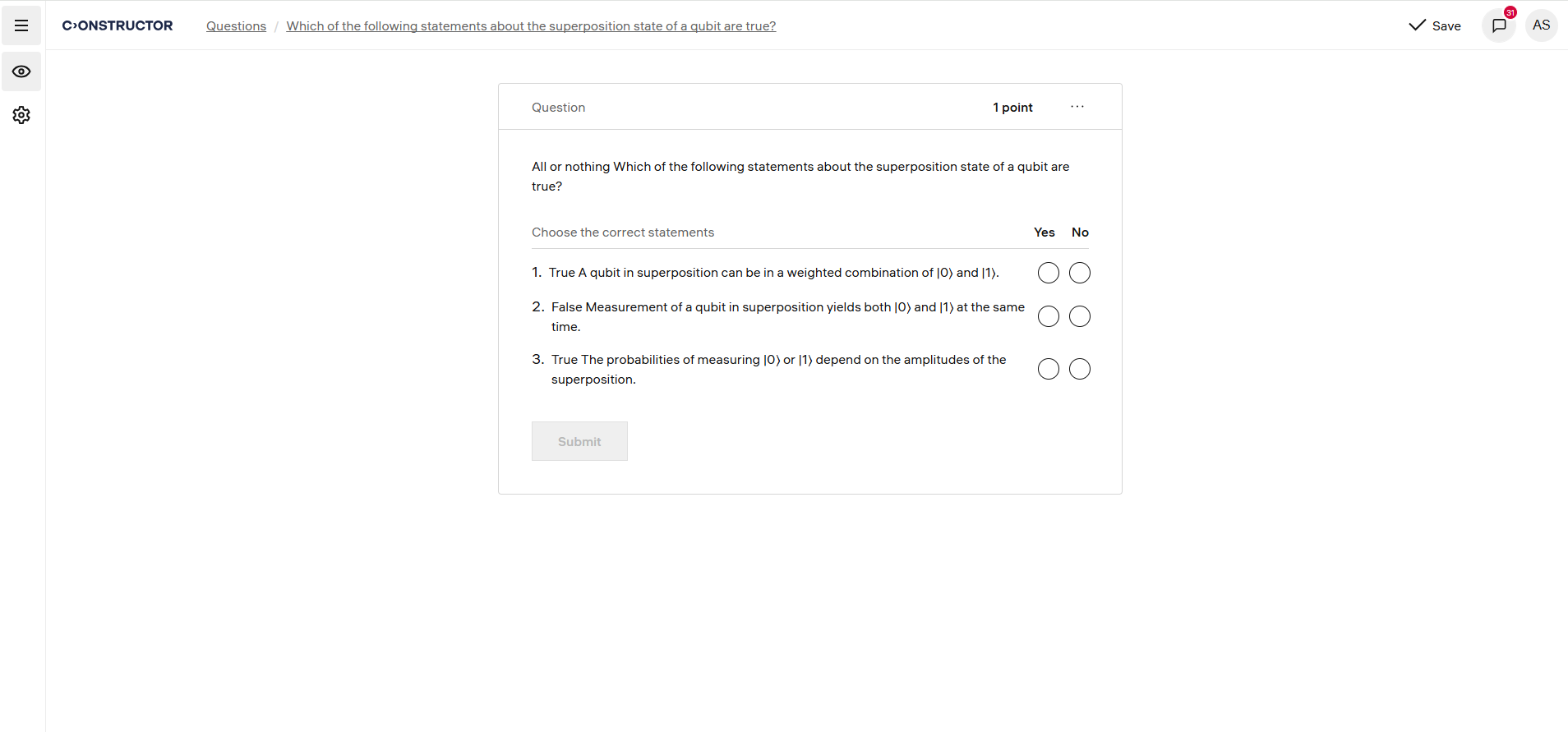
Multiple True or False questions have no limitations on the number of answer options, unlike Kprime, which was limited to four.
We’ve also updated the scoring and grading logic to ensure accurate evaluation of Multiple True or False questions.
Rubric-based AI grading for free-form assignments
We’ve enhanced AI-powered grading for free-form assignments with support for instructor-created rubrics. The system can now automatically evaluate submissions based on defined rubric criteria, ensuring consistent and transparent scoring.
We’ve also added support for multiple submission files, allowing the AI to evaluate more than one file per learner submission.
AI grading now supports PDF, TXT, DOC, and DOCX file formats.
Canvas Integration for AI Grading
We’ve integrated Constructor Assess with Canvas LMS to enable automatic AI-powered grading and feedback for learner submissions.
With this update, instructors can review AI-generated feedback and rubric-based scores directly in Canvas SpeedGrader, which removes the need for manual data transfers and makes grading faster and more consistent.
Key features include:
- Automatic submission sync: Learner submissions made in Canvas are automatically sent to Constructor Assess for evaluation.
- AI feedback in SpeedGrader: Rubric scores, comments, and detailed feedback generated by Assess are automatically pushed back to Canvas SpeedGrader for instructors to review.
- Bi-directional integration: Canvas remains the central interface for both instructors and learners, while Assess handles evaluation and scoring in the background.
- Supported formats: AI grading supports submissions in PDF, TXT, DOC, and DOCX formats.