October 18, 2023
Release date: October 18, 2023
Overview
In Release 46, we've introduced the following new features:
- File management enhancement
- Access to dataframes from scripts
- Plotting charts with sorting for aggregation functions
What's new
File management enhancement
The file manager displays the most popular file formats natively, like Jupyter notebooks or CSV datasets. For other files, the text mode viewer is now available. It allows users to quickly preview a file’s contents without starting the environment.
Users now can move files in the desk using the file manager interface within the storage where the file is located.
Users now can copy to the clipboard a path to any file or folder within a local or shared storage to quickly paste this path into scripts or notebooks.
When viewing log files in the file manager, keywords in the file are highlighted to ensure a more structured output.
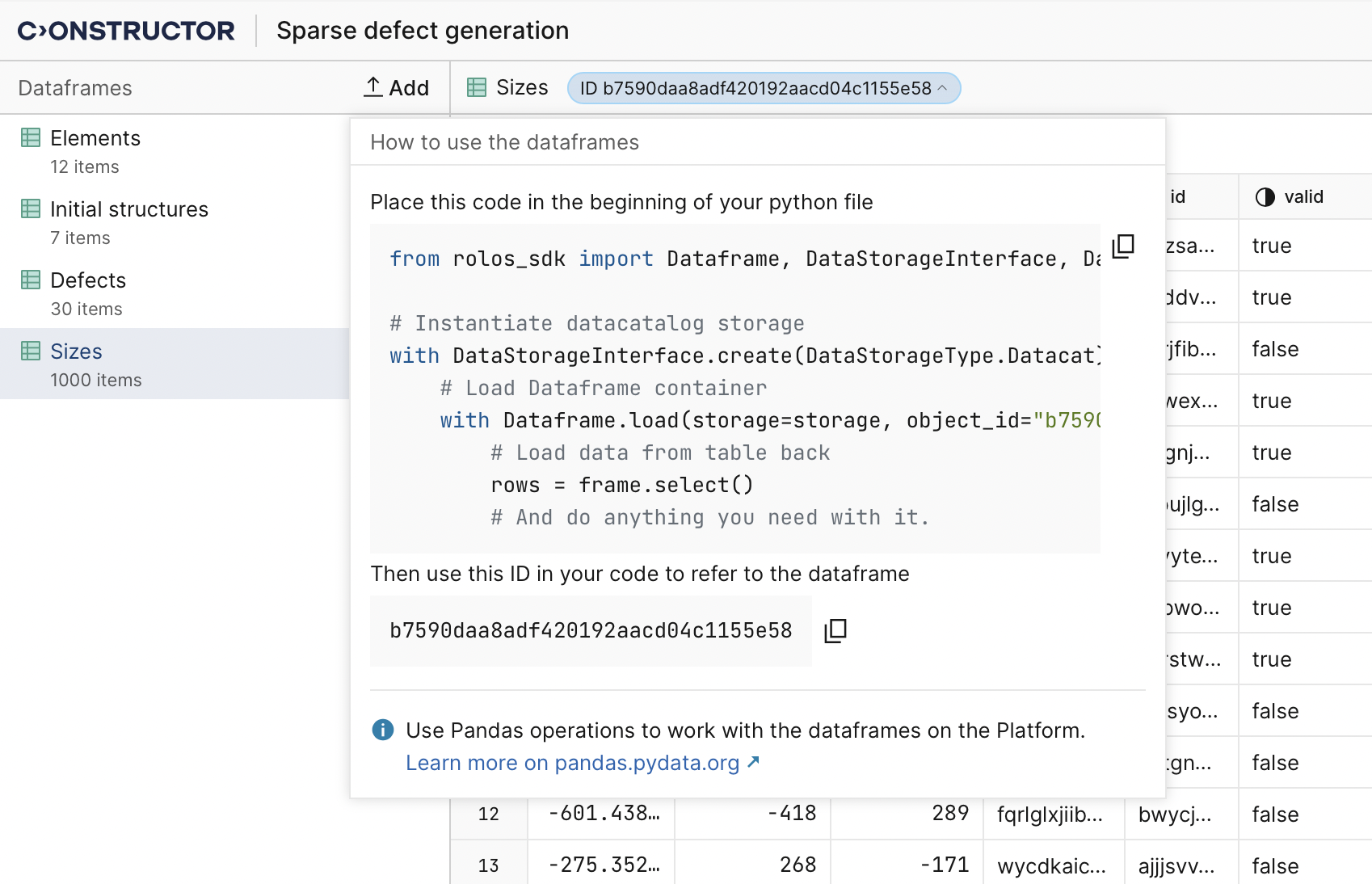
Access to dataframes from scripts
Now users can reference their dataframes in the Data Catalog from the scripts. This enables programmable dataframe data reading and manipulation. Each dataframe has an ID that can be used in a script, notebook, or workflow to access this dataframe directly, without copying its data to some intermediate structures. Additionally, code snippets from dataframes can be pasted directly into scripts. These enhancements save processing time.
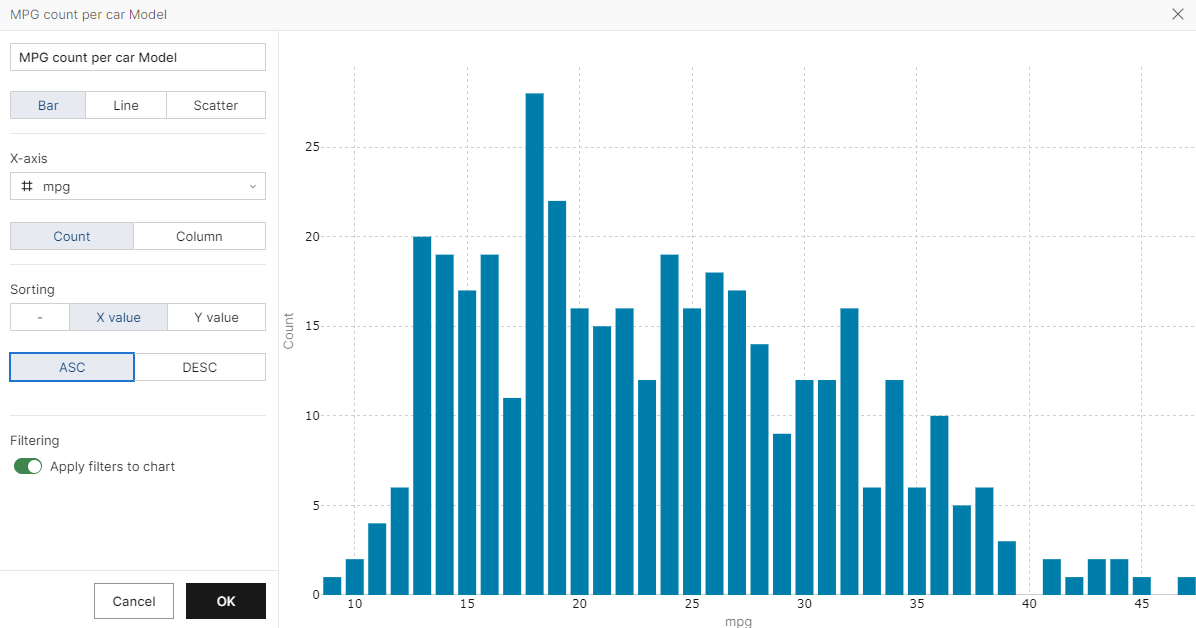
Plotting charts with sorting for aggregation functions
When plotting a chart in the Data Catalog, users can now sort X-axis values based on total aggregation function values for the Y-axis. They can apply either ascending or descending sorting in the chart settings or revert this setting if needed. This option allows for a more flexible chart configuration.