
Managing projects
Sharing projects
To share a project and make it publicly available by a link:
- Go to Research.
- In the research projects list, filter My projects.
- Hover the cursor over the project you want to share and click the settings icon
 .
. - Switch to the Publishing tab.
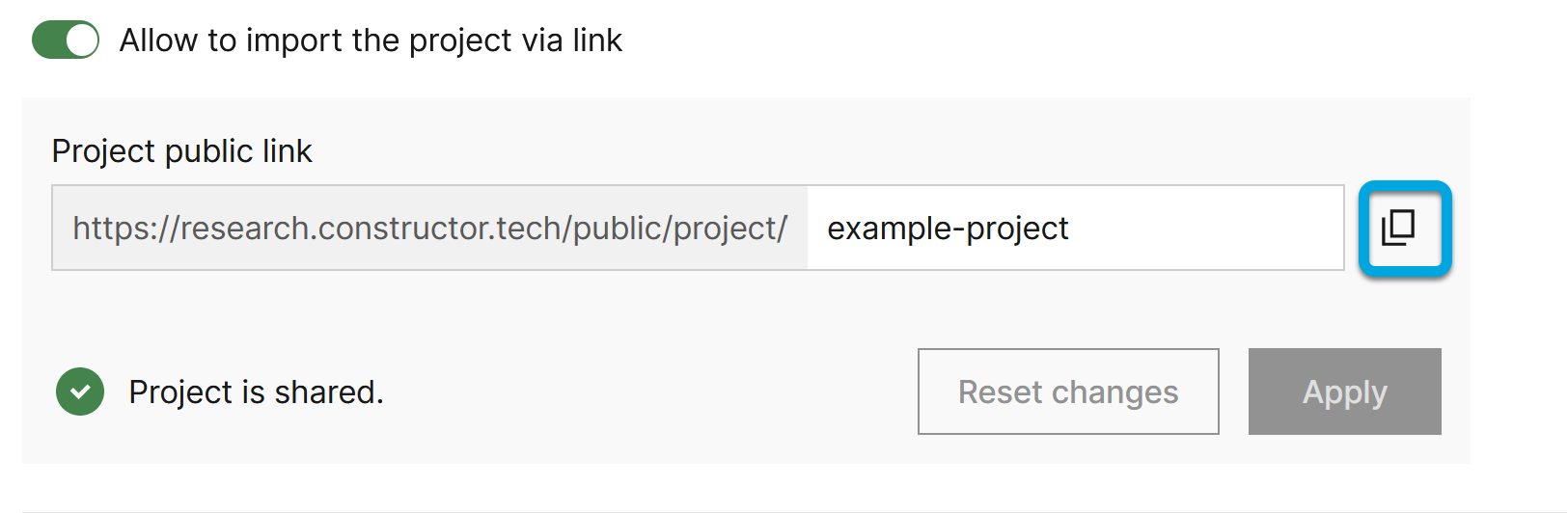
- Enable Allow to import the project via link.
- Specify the project name in the URL for sharing the project and click Apply.
The project status will change to The project is shared and the project tile will have the Shared mark in the project list.
You can copy the URL link to the clipboard. The project becomes available to all users having this URL with all its public publications and public dataframes.
If neccesary, add to the Landing page field the project landing page contents in the Markdown format.
Users who access the project by the link need to click Open in Research Platform on the project page. They can duplicate shared projects along with desks and become owners of these project copies.