
Viewing live learner sessions
As an administrator, you can view the sessions of learners who are currently online and broadcasting.
The required roles in the system for that are:
- Super Administrator
- Company Administrator
Users with other roles cannot use the viewing functionality because they do not have access to the Sessions section of the Dashboard.
Viewing online sessions
To view sessions of learners who are online:
- Go to the Sessions section of the Dashboard.
- Filter sessions in the status Online now.
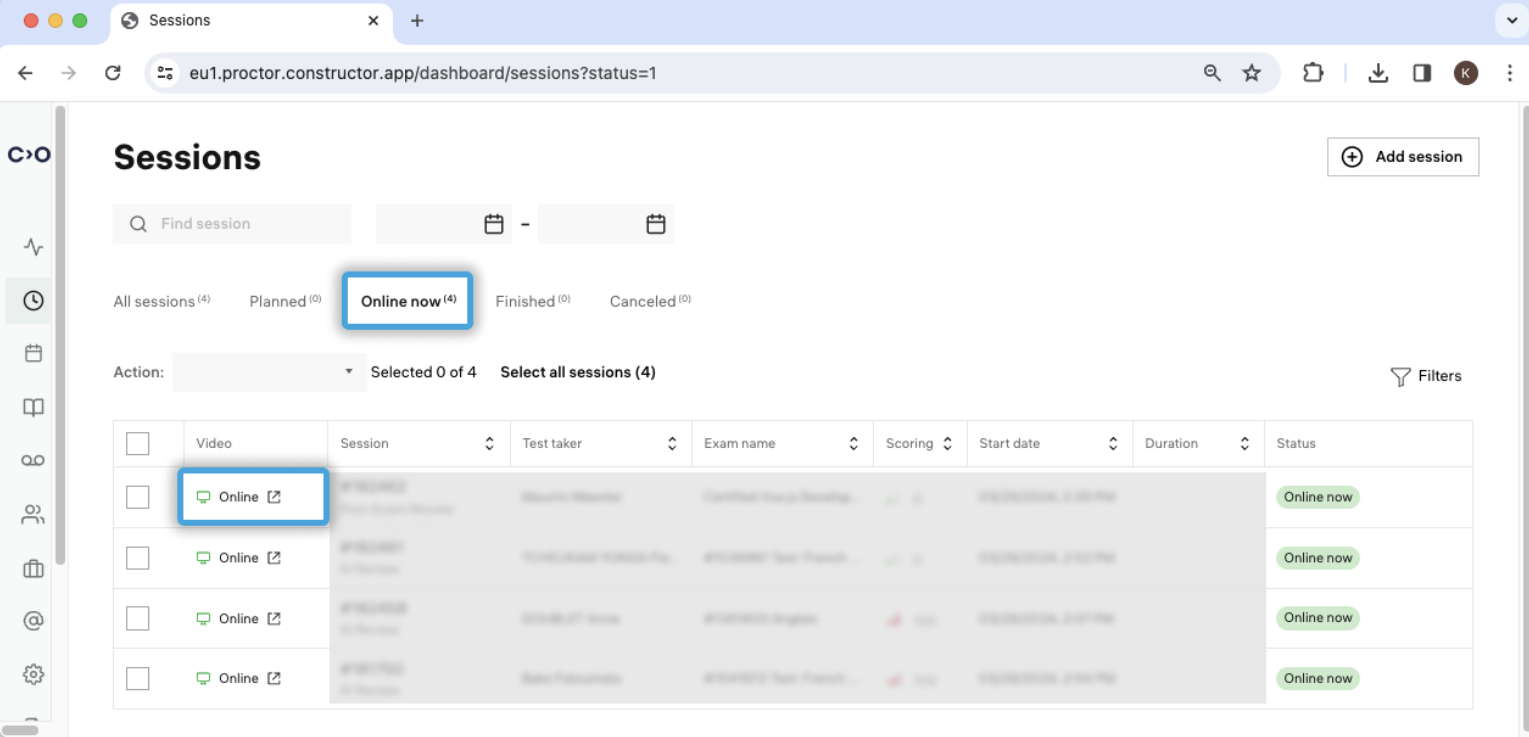
- Select the required session and open it
 .
.
Using chats for sending messages
This sessions viewing functionality allows you to enable chats between a learner and a Company Administrator. Enabling chats is configured by changing the value of the alwaysShowChat option in the webapp config to true.
When chat is enabled in the web application, the learner will receive messages and violation notifications with the sidebar expanding each time to display the new event.
In live-review mode, both the Company Admin and the Proctor have the same permissions to send chat messages and issue violations. The Proctor does this via the Proctor Room, while the Company Admin uses the Session section.