
Manually adding a lab’s contents
When creating the contents of a lab, you need to add descriptions of how to implement the lab tasks step by step.
| Information | IMPORTANT**:** Each lab task must have at least one step. Otherwise, the lab won't work. |
To add content to your lab:
- In the LMS authoring interface, go to Authoring > Labs menu.
- Open your lab.
- Switch to the Draft tab.
- Open your lab.
- Switch to the Content tab and click + Add task and specify the task name and description.
- In the Task name and Step name fields, specify the task name and the name of the first task step.
Use the context menu controls to format the task text, add code samples, insert links, and so on.
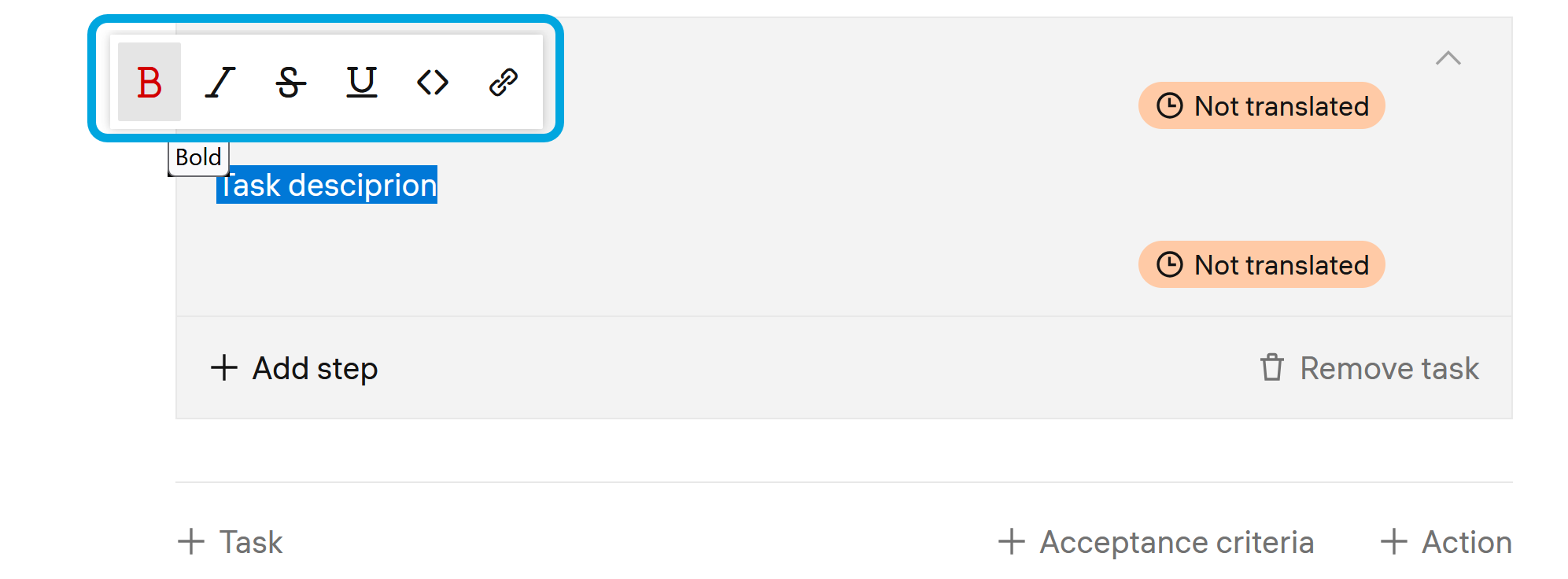
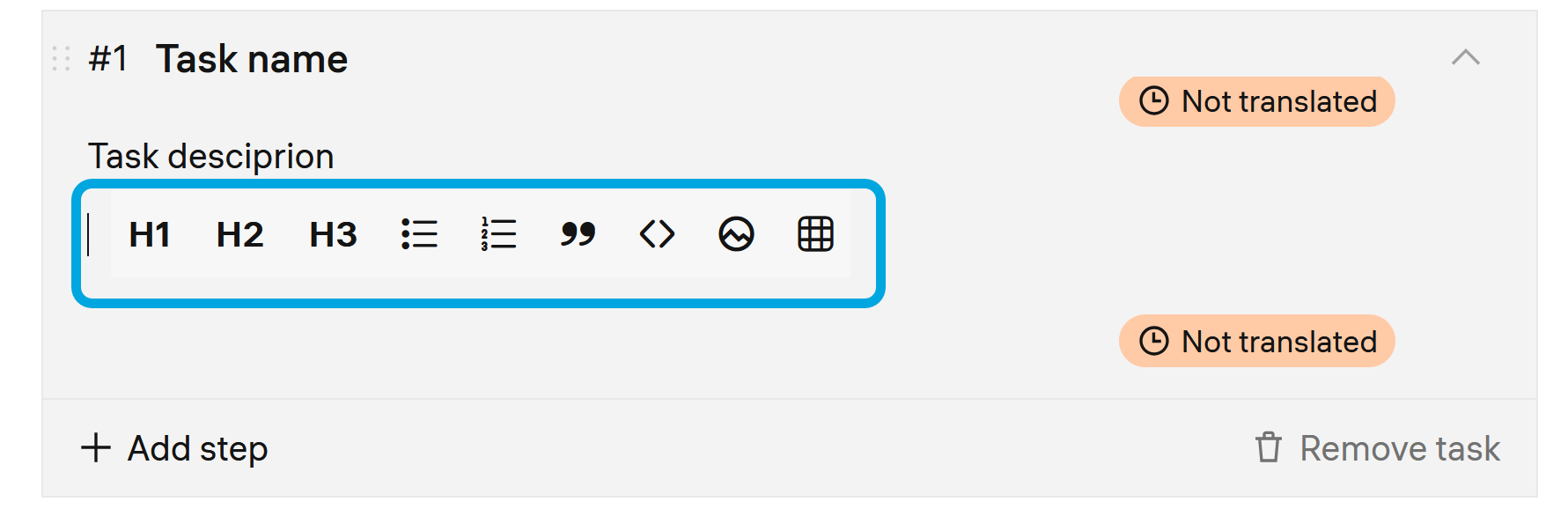
To enter a variable, in the step description, type a curly bracket {. This will display a list of available variables for selection. The list contains the default variables and variables configured through the API objects.
- Click Add pass criteria manually and specify the step pass criteria either by adding a script or recording the step implementation.
- To add further steps, click + Add step and repeat steps 5─7 to add all steps.
- Save changes.
Example of using variables
To describe how to log in to the remote system use the {vle_vm_session_id} variable in the text. This variable will be substituted with a student’s login when the student starts the lab.
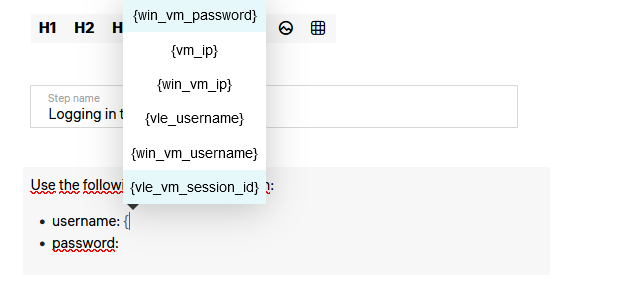
After you have configured your lab, pass through the lab steps in the preview mode to check how it works. See Previewing a lab.
For the information about how to publish your lab, see Publishing your lab.