Constructor Tech
HomeSupport ResourcesConstructor Website
  • About this guide
    • Introduction
    • Registering in the platform with your email
    • Registering in the platform with external accounts
    • Getting started with knowledge models
    • Managing knowledge models
    • Creating knowledge models
    • Creating conference assistant models
    • Uploading source data to knowledge models
    • Editing knowledge model access level
    • Configuring prompts in knowledge model chats
      • Publishing knowledge models
      • Publishing knowledge models as links
      • Publishing knowledge models as widgets
    • Using chat in knowledge models
    • Deleting knowledge models
    • Sharing links to knowledge models
    • Practical use cases for knowledge models
    • Generating scientific hypotheses with AI
    • Using knowledge models for website AI assistants
    • Creating knowledge bases
    • Creating customer assistance chatbots
    • Creating literature reviews
Managing knowledge models

Sharing links to knowledge models

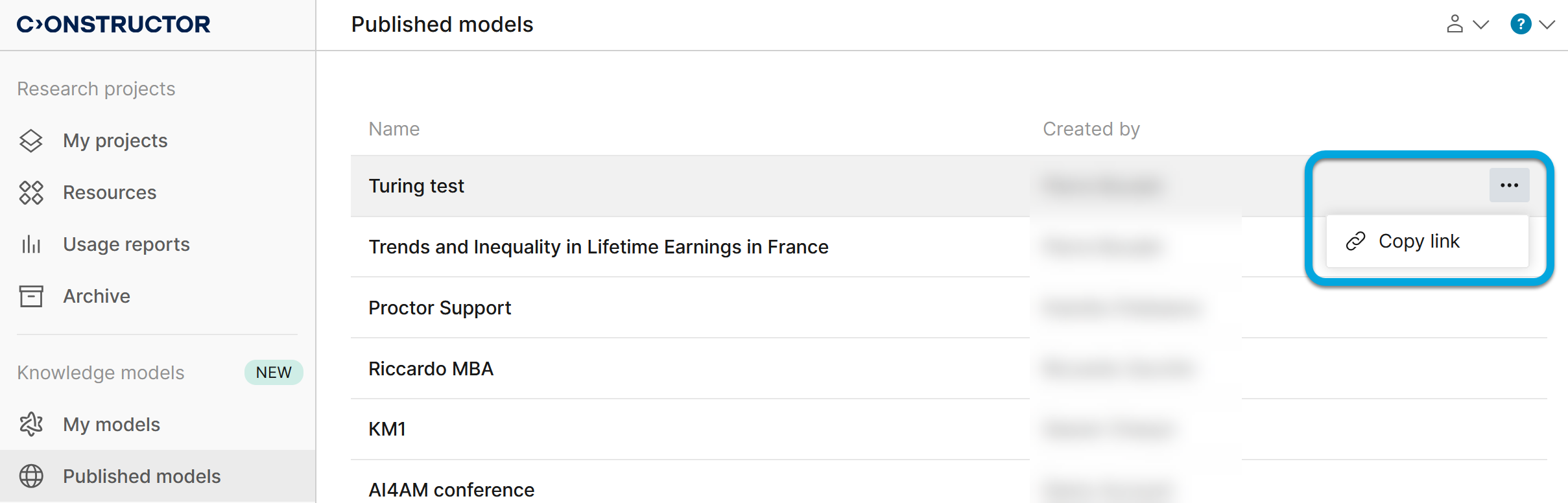
To share a link to a published knowledge model:

  1. In Constructor Platform, go to Knowledge models > Published models.
  2. In the list of knowledge models, locate the required model and click More More icon.
  3. Click Copy link. The link will be copied to the clipboard.

Deleting knowledge models

Practical use cases for knowledge models

© Constructor Tech. All rights reserved.