
October 21, 2024
Overview
In Release 21, we’ve added the following features:
- Live proctoring rooms management
- Live proctoring support in the new web app
What’s new
Live proctoring rooms management
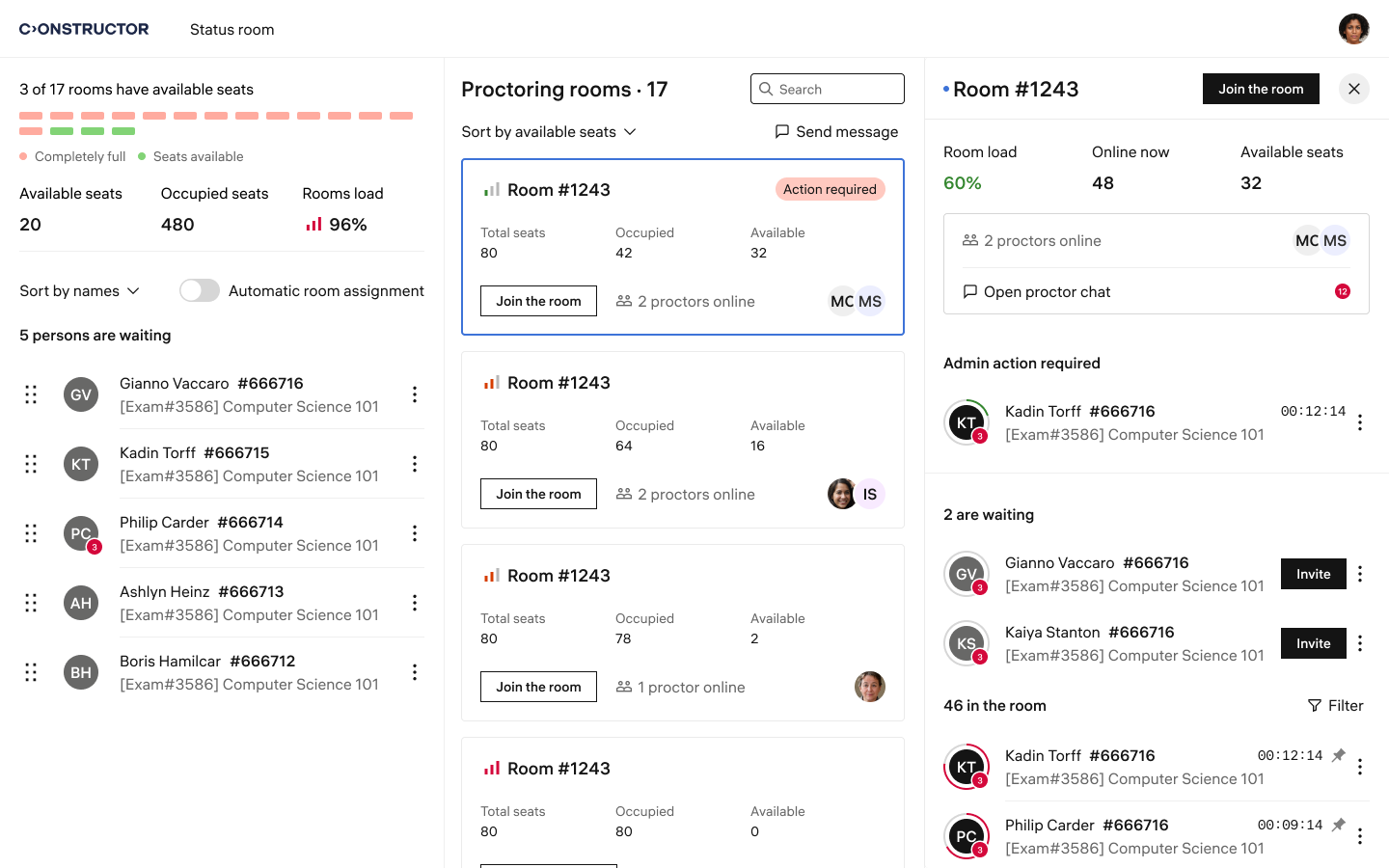
We’ve added a new page, Rooms, to the dashboard. This page enables company administrators to:
- View a list of all active exam rooms.
- Monitor room load, including available and occupied seats.
- Access the list of students in each room.
- Search for specific rooms or students.
- Connect to active rooms.
This feature simplifies the management of live proctoring sessions.
Live proctoring support in the new web app
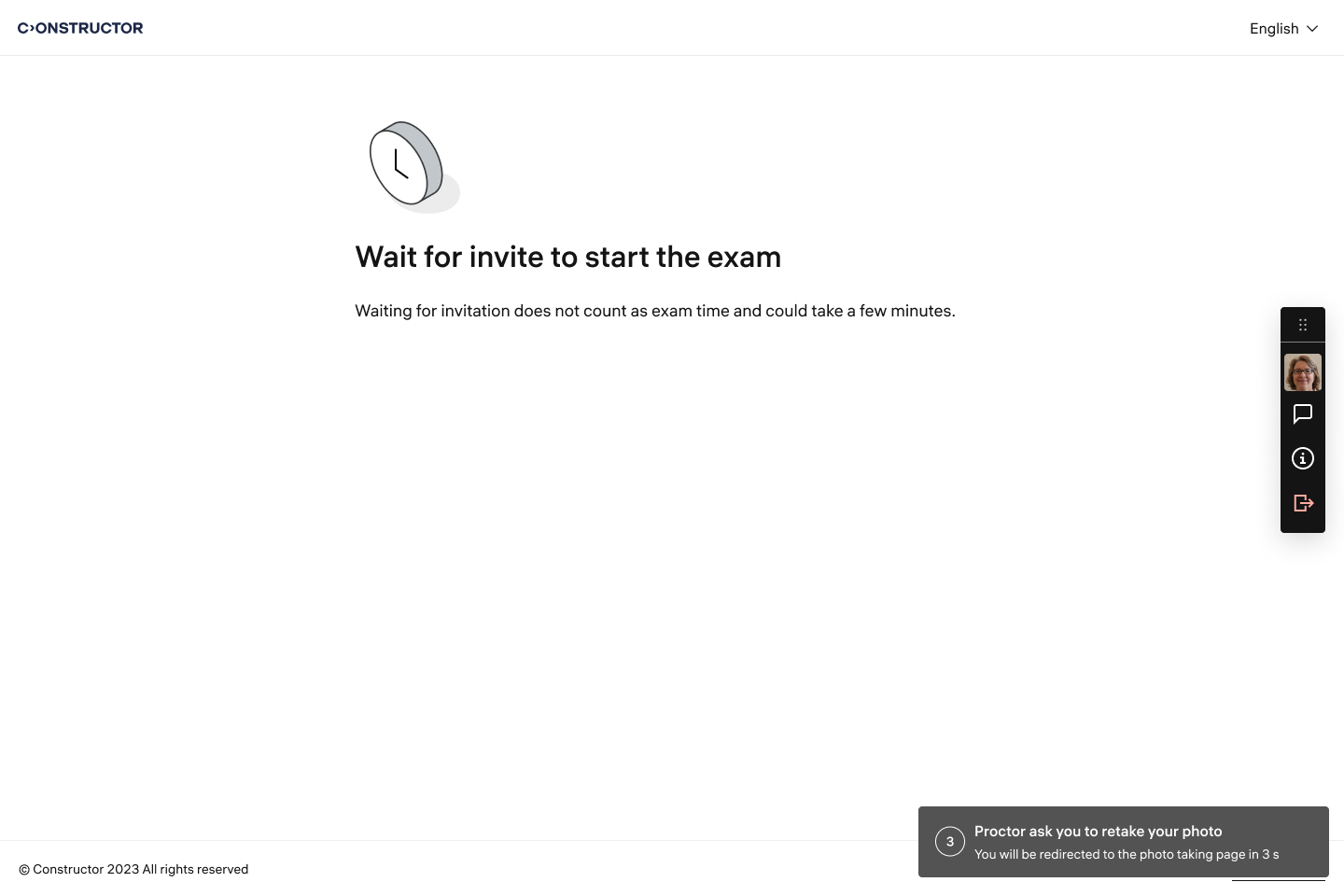
The new learner web application now fully supports live proctoring. Learners can communicate with the proctor at every stage of the exam, starting with photo submission. Proctors can request learners to retake the photo or show their workstation as needed.
After submitting a photo for review and showing their workstation, learners are placed in a waiting room until the proctor grants them permission to start the exam.
This update ensures seamless support for live proctoring scenarios.
The new version of the learner web app includes the audio call functionality that allows proctors to call learners during exams to address technical or organizational issues.