
June 23, 2025
Overview
In this release, we’ve implemented the following improvements:
- Automated language matching for informing learners
- Chronological ordering of test-takers in waiting list
- Restriction on test-taker entry to proctoring rooms
- Display of test-taker names in chat
What’s new
We have made some improvements to the live proctoring interface to make it easier for the proctor to interact with learners.
Automated language matching for informing learners
To speed up the workspace and identity checks, the system includes a set of standardized messages that proctors can use during live communication.
Now, even if the proctor and test-taker use different languages, the test-taker will receive the message in their selected interface language.
Chronological ordering of test-takers in waiting list
Learners in the waiting and onboarding stages who are waiting for a human proctor’s invitation to begin are now listed chronologically based on when they entered the proctoring room.
If a proctor starts chatting with a learner, that learner is automatically moved to the top of the list. Once the chat is closed, the student returns to their original position.
Restriction on test-taker entry to proctoring rooms
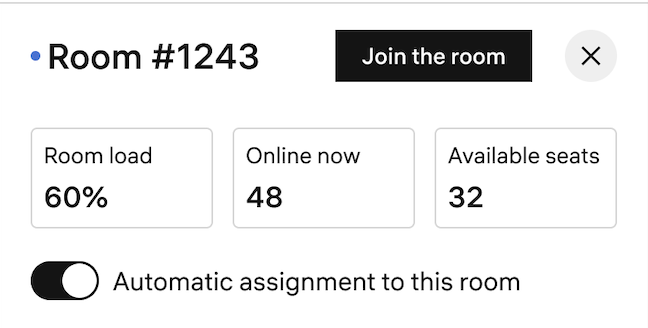
By default, test-takers are automatically distributed to all open proctoring rooms with available capacity.
We’ve added a new feature that allows the system to stop assigning new learners to a specific room. This option is only available to administrators.
It is useful in situations where a proctor is about to end their shift or when the room is supervised by an intern proctor who can only monitor a limited number of test-takers.
Test-takers already in the room will continue their testing, but no new test-takers will be assigned.
Display of test-taker names in chat
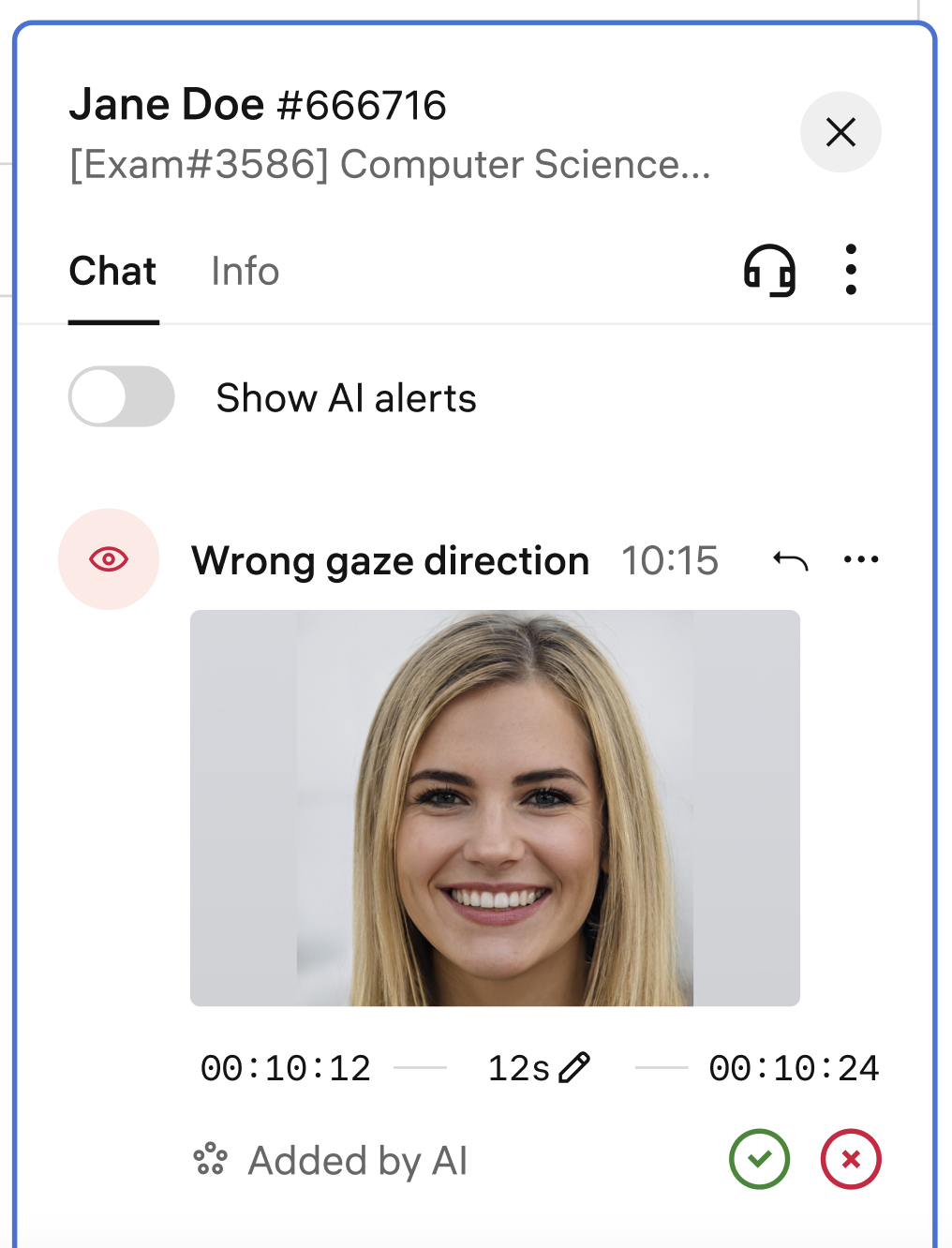
For easier navigation, test-taker names are now displayed next to session numbers in the chat dialogue.
Other improvements
- Ability to skip the room scan via configuration settings has been added to the new web app.
- Ability to set Select All violations in the filter on the Sessions page.