
Constructor Coach interface overview
The general view of the Constructor Coach teacher interface is shown in the screenshot below.
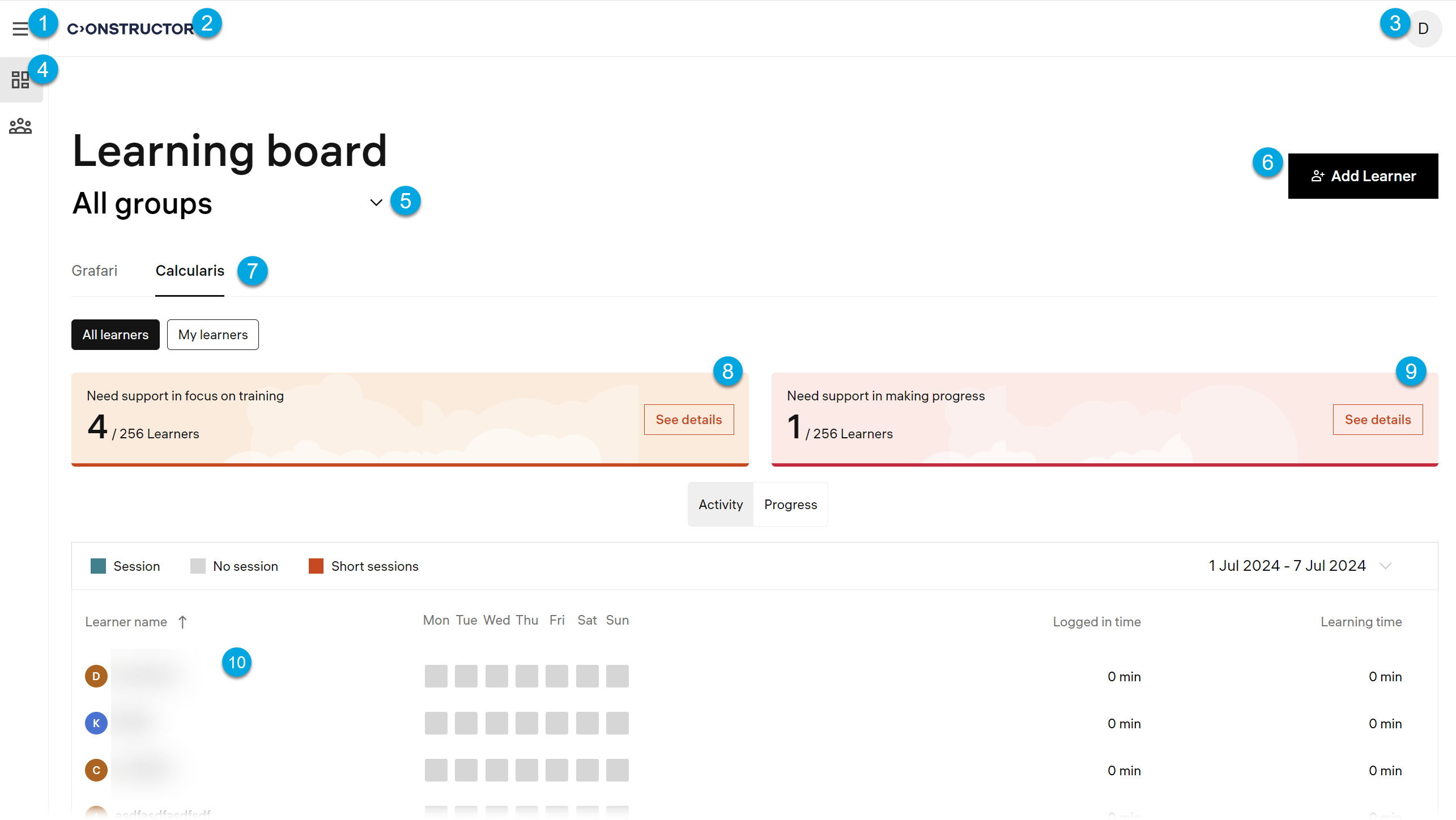
According to the numbers in the screenshot, the Constructor Coach UI has these main parts:
Navigation:
- 1 — the main menu; clicking the main menu displays the available menu sections (4).
- 2 — the logo; clicking the logo returns you to the home page.
- 3 — your profile menu with the interface language options and the logout button.
- 4 — the navigation elements, menus.
Learning board:
- 5 — the selection of learner groups (classes).
- 6 — the learner adding option.
- 7 — the tabs to open learner statistics data for the respective application.
- 8 — the learner focus problems alert box.
- 9 — the learner progress problems alert box.
- 10 — the contents of the currently opened page.