
Creating a trial Coach account
With a trial Coach account, you can explore Constructor for Schools Coach and its key features before deciding on a purchase.
To create a free trial as a teacher, sign up for a free trial from one of our landing pages or the website.
- Open https://schools.constructor.app/dwilo/sign-up.
- Create your teacher's account by specifying these parameters:
- First name — your first name.
- Last name — your last name.
- Email — your work email address.
- Username — a user name that you will use as a login for your account.
- Password — a password for your account.
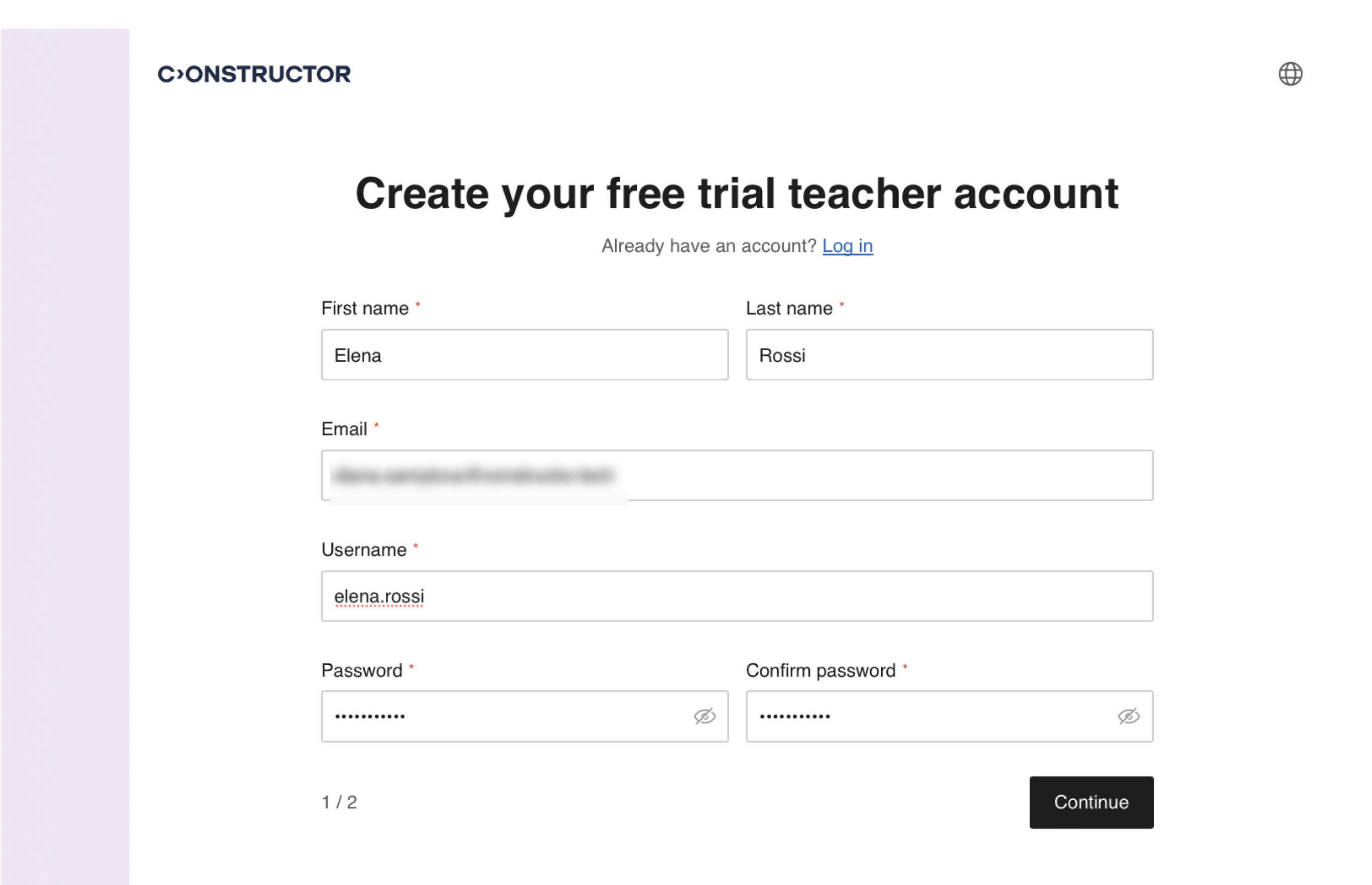
- Click Continue.
- Create an account for your school by specifying these parameters:
- School name — the name of the school you work in.
- Country — the country where the school is located.
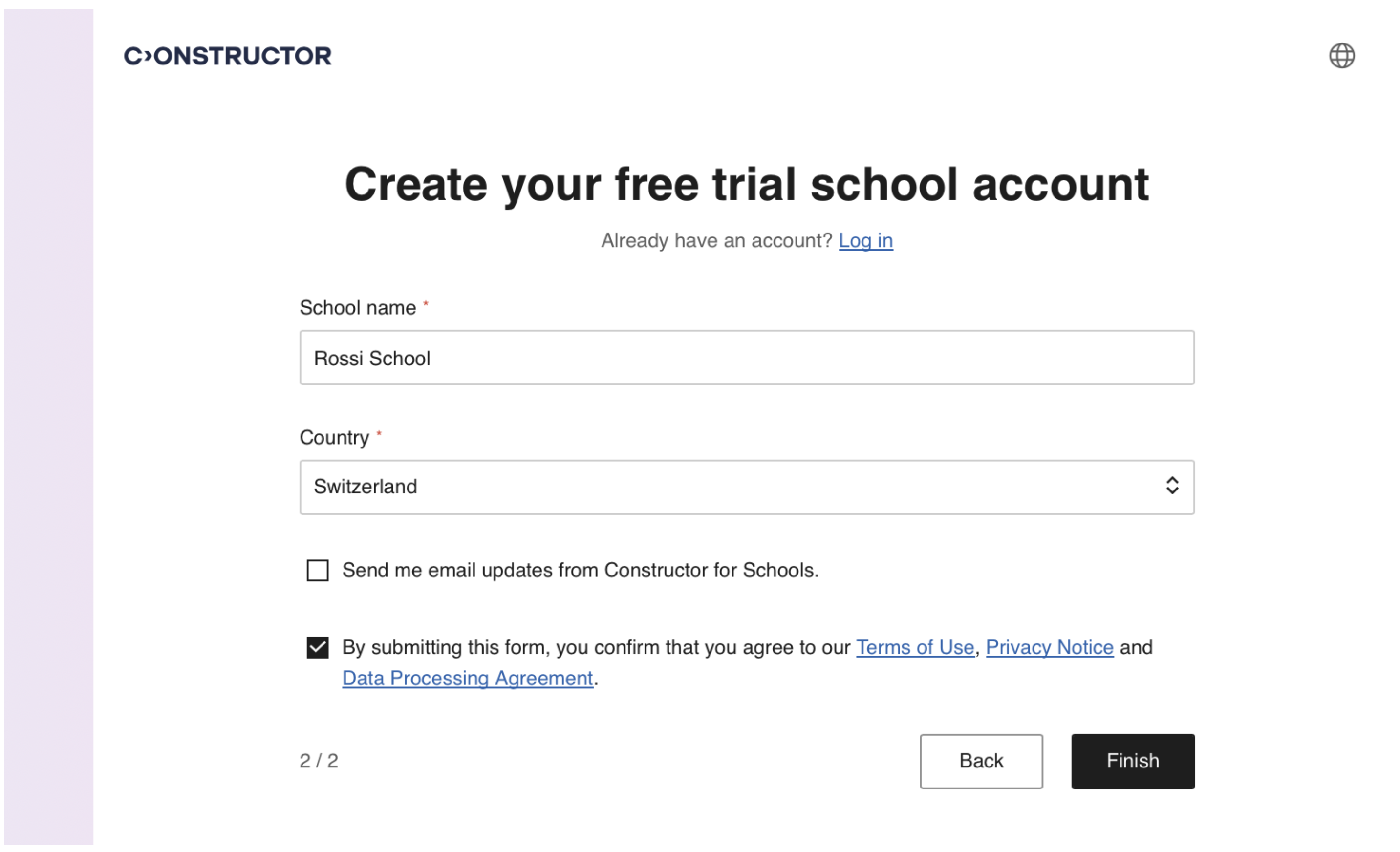
- Click Finish. Your Coach account with a trial subscription will be created and you will be redirected to Coach, where you can have a short onboarding tour, create your first learners, groups, and assign licenses.
At the same time, you will receive a welcome email with the information about your free trial and short instructions on how to use Constructor for Schools applications.
See also What’s included in the Coach free trial.