
Managing licenses in subscriptions
You can change the number of licenses (increase and decrease) in your subscriptions. To add more license in the current billing period, simply purchase them through Subscription and billing. Newly purchased licenses will be added immediately to your active Math, Literacy or Combo subscriptions.
To decrease or increase the number of licenses starting from the next billing period:
- Click your profile icon in the upper-right corner to open the menu.
- Click Subscription and billing.
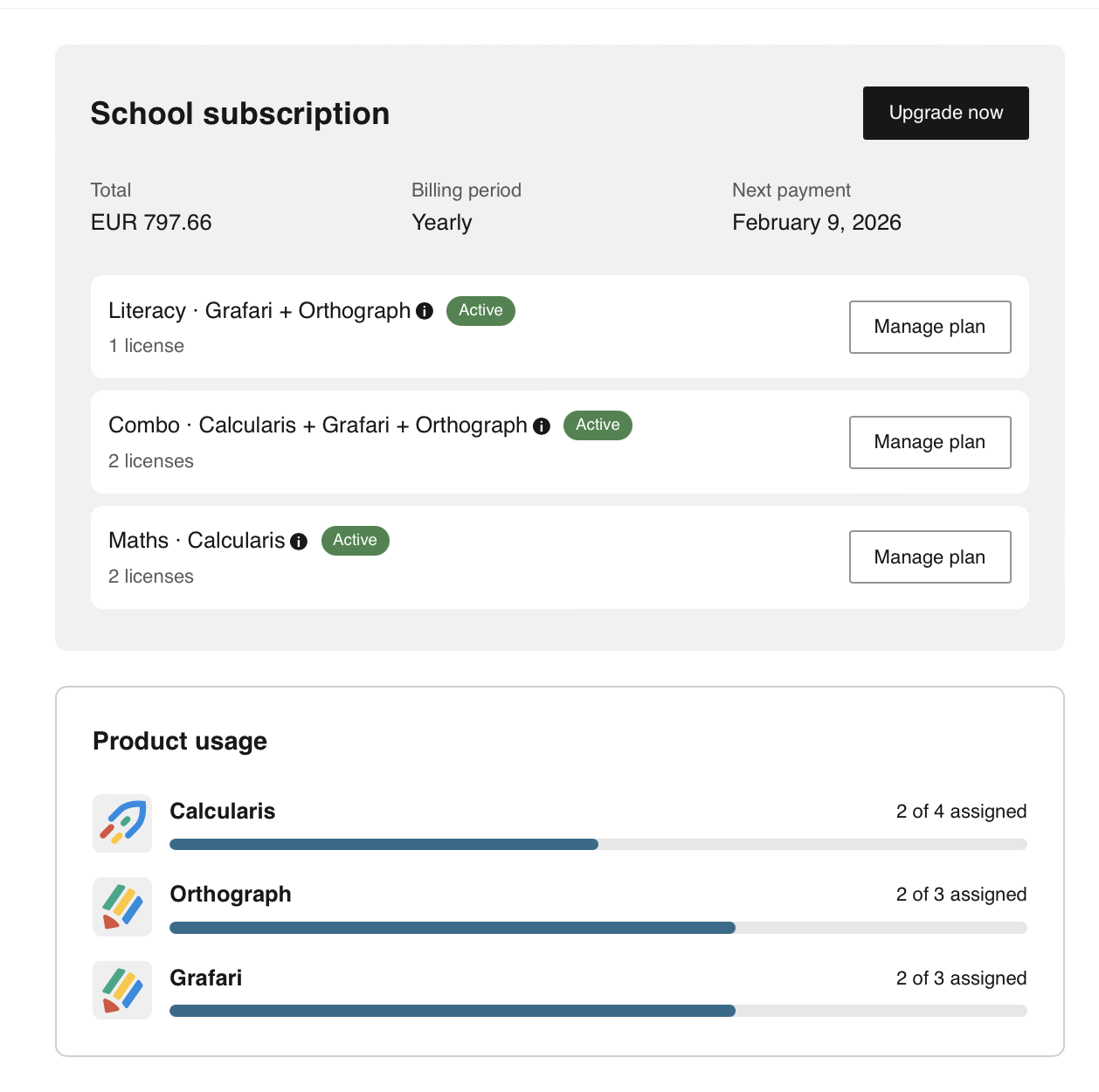
- Select a plan you want to modify and click Manage plan. The Manage subscriptions dialog will open.
- Click the required plan to open the details.
- Click Edit subscription.
- In the quantity field, specify the number of licenses needed.
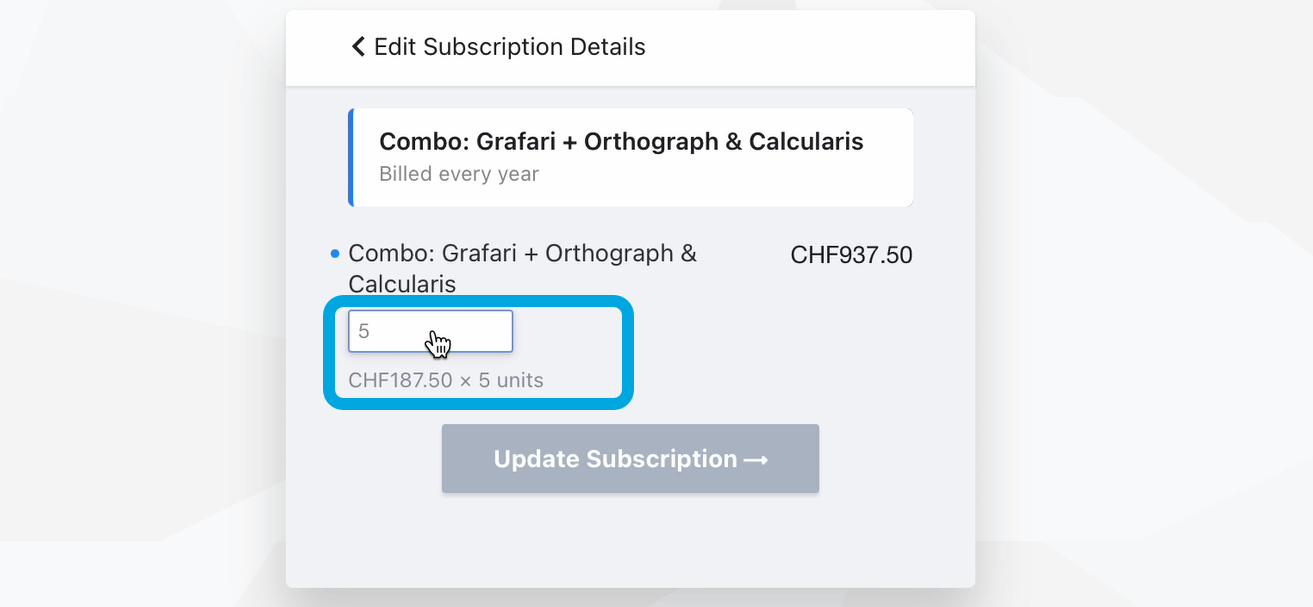
- Click Update next to the quantity field.
- Click Update subscription. The changes you made will take effect at the next renewal.