
Managing certificate templates
Customizing certificate appearance
You can customize the appearance of a certificate and modify the template as follows:
- Change text formatting
- Add placeholders and adjust their formatting and position
- Add a background image
- Change layouts
To customize the appearance of a certificate template, follow these steps:
- In the Learn management portal, click
 in the upper-left corner.
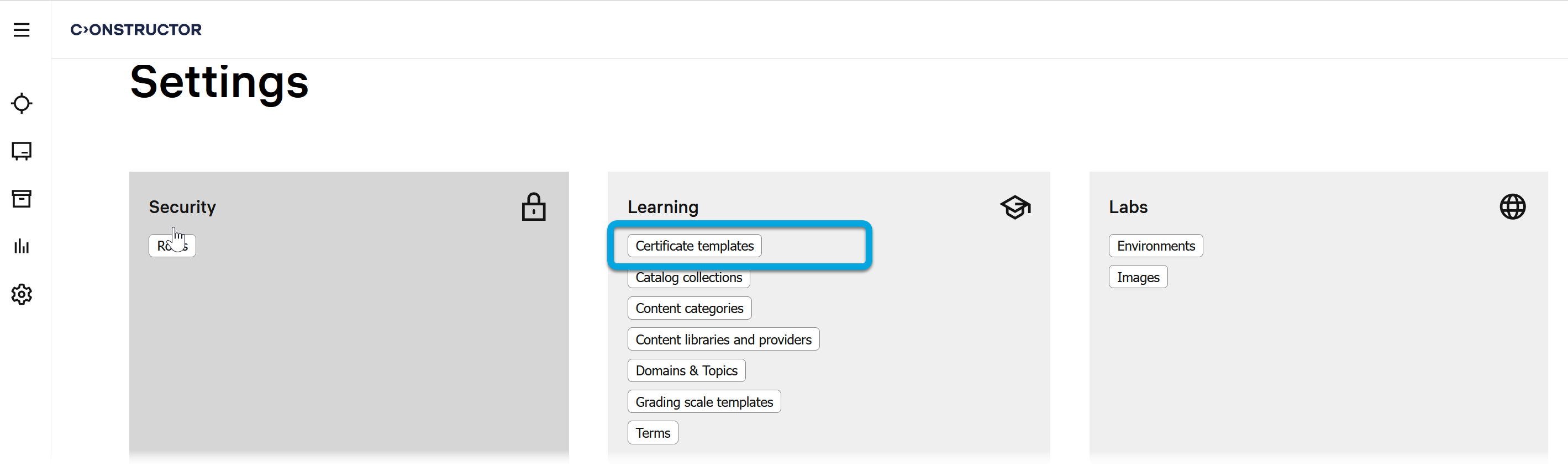
 - Go to Settings.
- In the Learning section, click Certificate templates.
- In the Certificate templates list, find the required template.
- Click
 to call the menu, then click Edit.
 - Switch to the Editor tab.
Adding and formatting text
To manage text elements:
- Click the text option on the certificate editor toolbar:

- When the text field is inserted, use the Inspector panel to configure the text element.
Adding and formatting placeholders
By default, a certificate template contains a range or placeholders, such as the learner's name, course name, and others. These placeholders will be replaced with actual data in a real certificate issued to a learner.
Note: The default placeholder list applies to each template and course. It is possible to change the list of default placeholders through the certificate.sample_data parameter in the tenant settings. |
To manage placeholders:
- Click the placeholder option on the certificate editor toolbar:
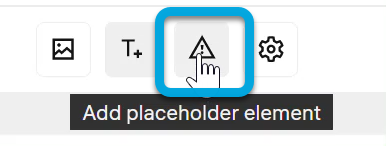
- When the placeholder field is inserted, use the Inspector panel to configure the placeholder.
[
](./assets/lms-admin-guide-1/Video/LMS/LMSSettingsCertificateTemplateEditPlaceholders.mp4)