Using rooms for online meeting
Sharing files
Currently you can share only PDF files. So, make sure to prepare files in this format if you need to share anything.
To share a file:
- Connect to the meeting.
- On the control panel, click the sharing icon
 .
.
- In the menu, click Files.
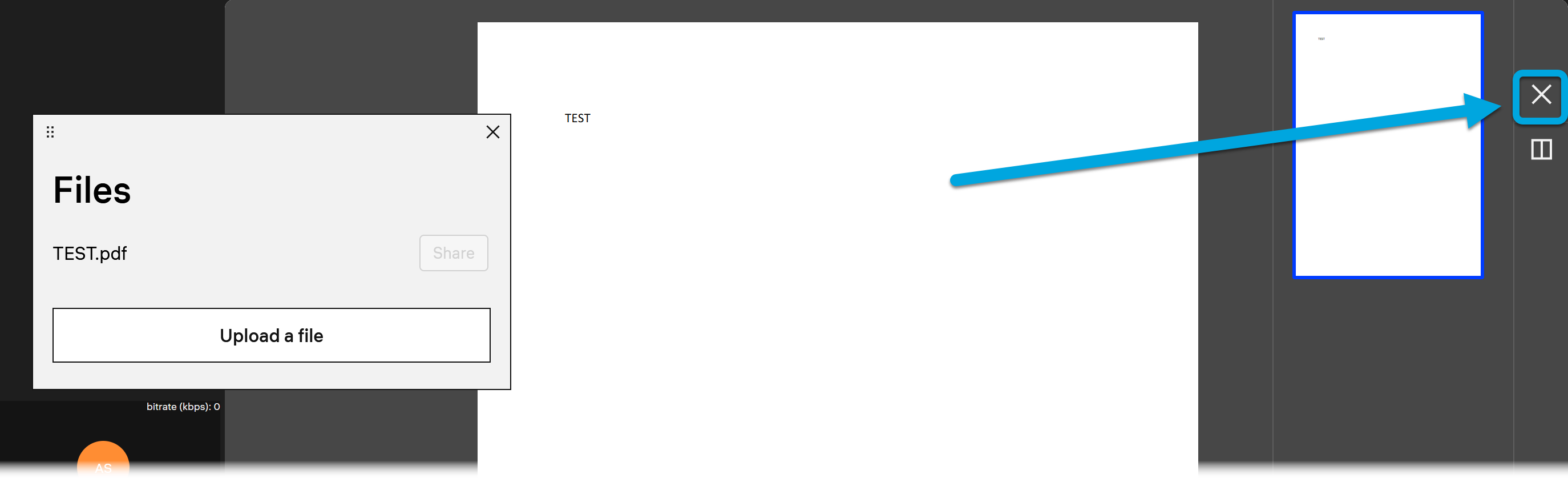
- In the Files pop-up, click Upload files and select a file on your local computer.
- Wait until the file is displayed in the pop-up and click Share. The shared file will be displayed in the session window.
- To stop sharing the file, click the cross icon in the rightmost panel.