
Using Communication Hub
Creating discussions
To better organize information, you can create separate discussions (sub-channels) within existing channels. To create a discussion:
You can create a chat with a specific group of users. To do this:
- Open Communication Hub: click the message icon in the upper-right corner.

- In the Chat menu, click Create new > Discussion.
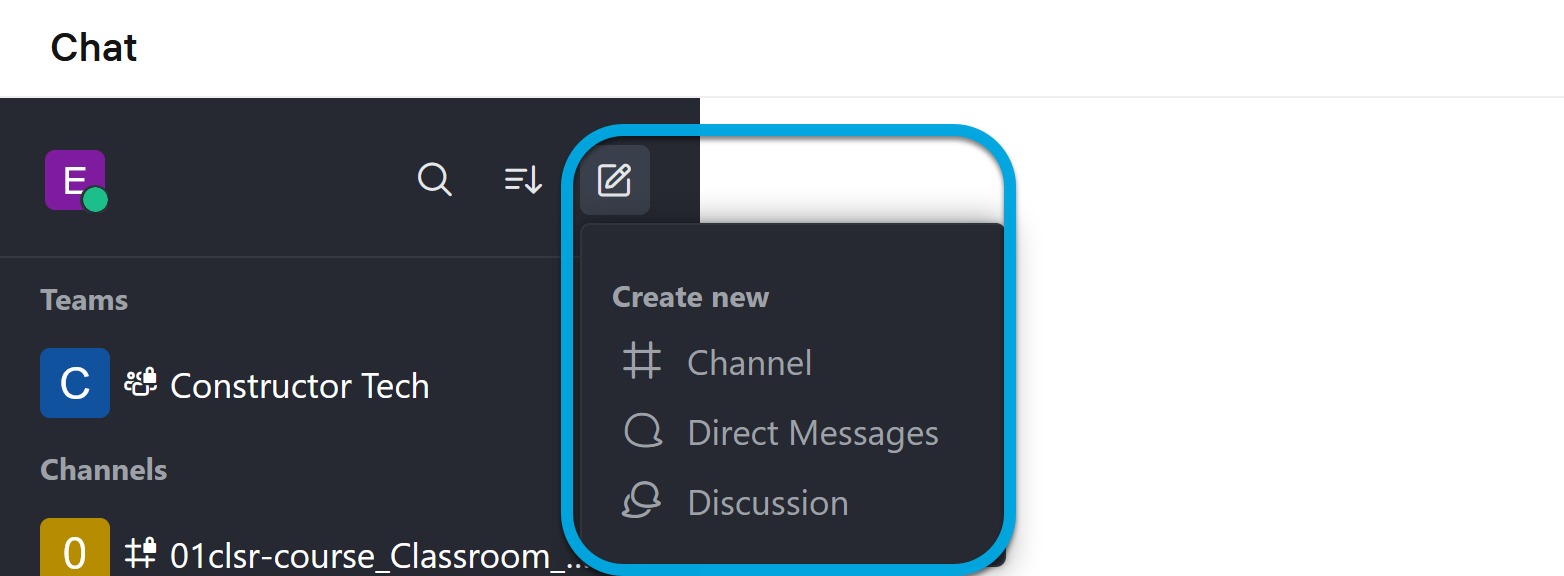
- In the discussion creation dialog, specify:
- Parent channel or group — a channel or group where you want to start a discussion.
- Encrypted — enable if you want the messages to be encrypted.
- Discussion name — a name that provides an idea of the discussion contents.
- Invite Members — users with whom you want to discuss the topic.
- Your message — enter introductory information for the discussion.
- Click Create.