
Using Communication Hub
Communication Hub interface overview
The general view of Communication Hub of the Constructor Learn is shown in the screenshot below.
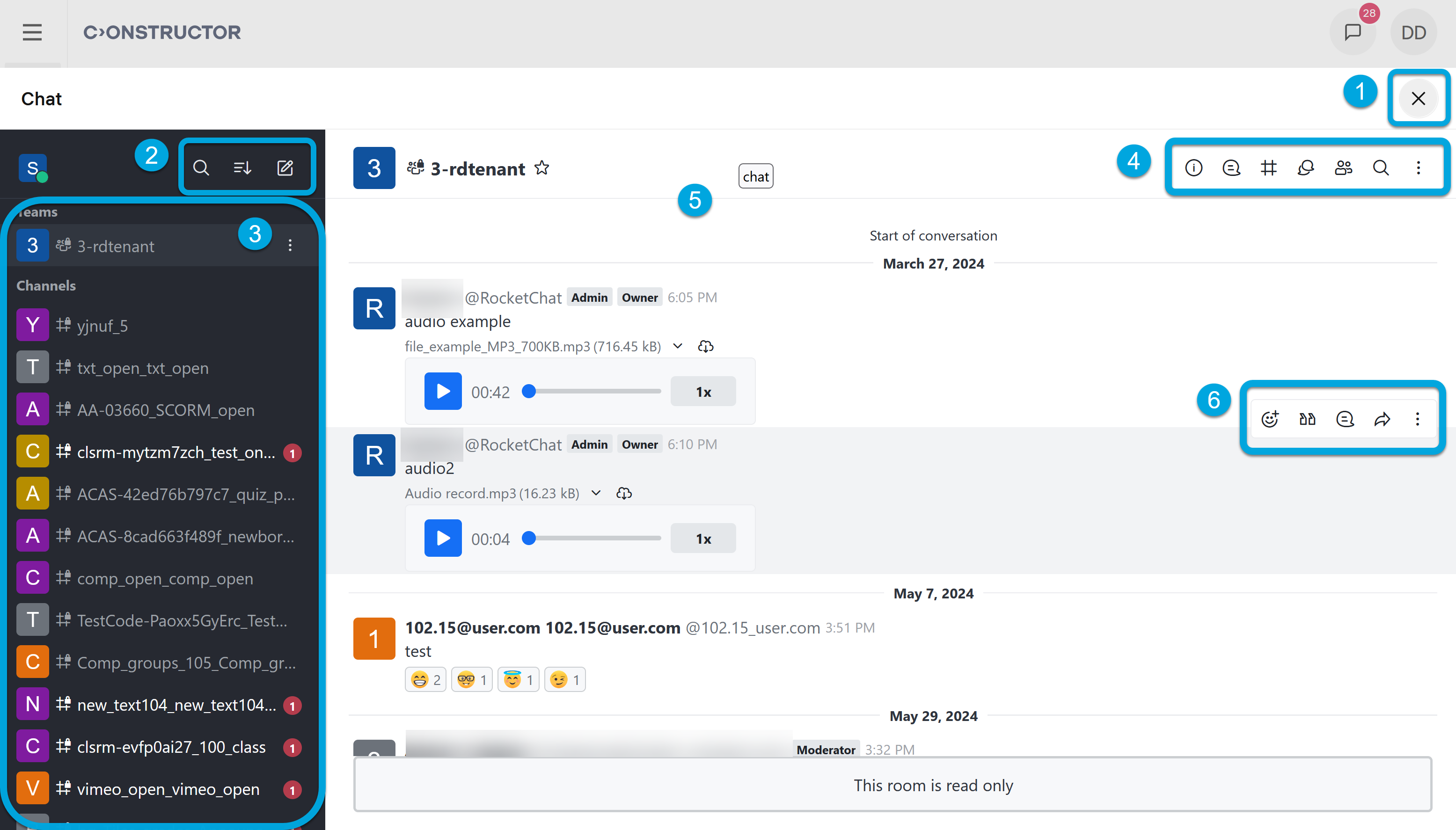
According to the numbers in the screenshot, Communication Hub UI has these main parts:
- 1 — the exit Communication Hub buttons; it returns you to the My courses page.
- 2 — the chat menu where you can search for channels, change the chat view, and add channels, messages or discussions.
- 3 — the list of available teams and channels.
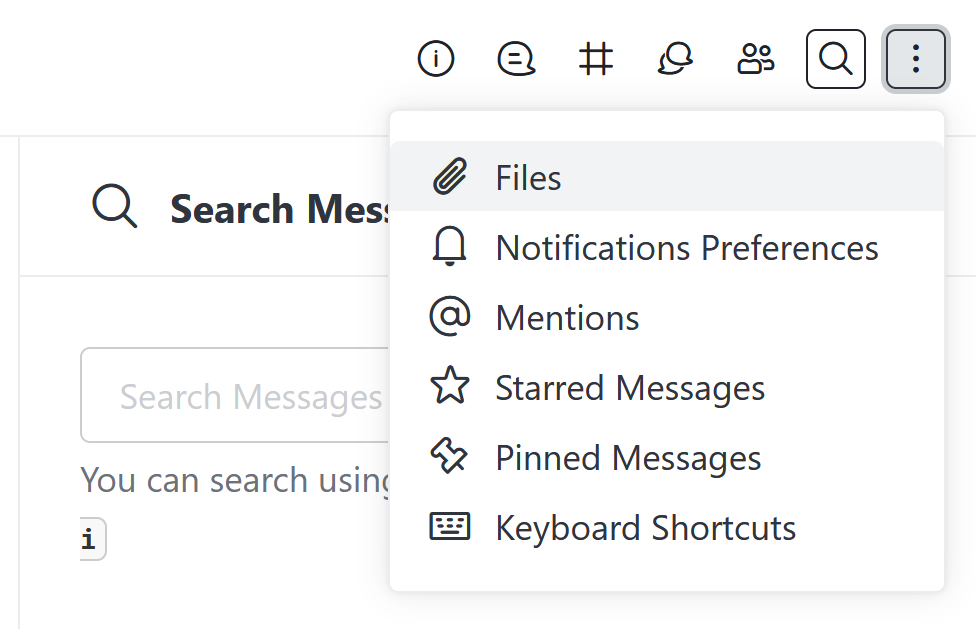
- 4 — the menu that contains the information about the team and search for the threads, team channels, discussions, team members, messages, mentions, notification settings, and so on.
- 5 — the chat messaging space.
- 6 — the reply and reactions menu.