
Using Communication Hub
Creating channels
A channel in Communication Hub is a specially allocated space where users can communicate about specific topics or for specific purposes.
To create a channel:
- Open Communication Hub: click the message icon in the upper-right corner.

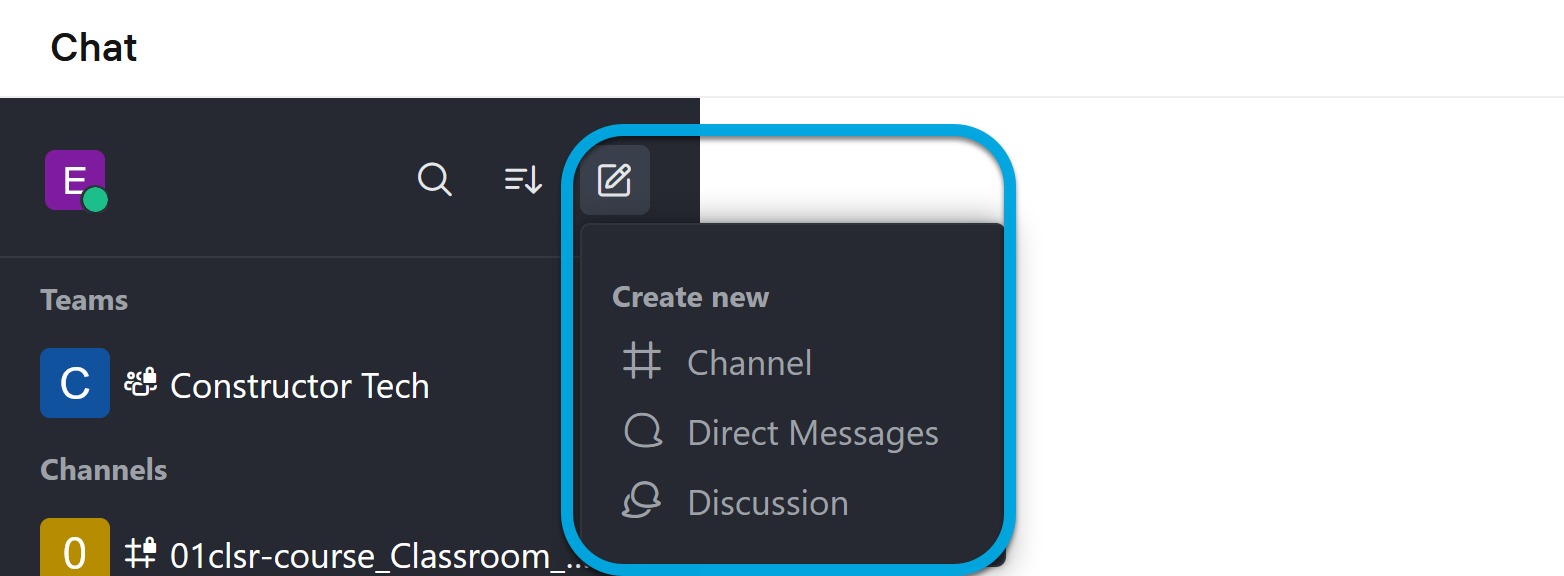
- In the Chat menu, click Create new > Channel.
- Specify the channel parameters:
- Name — the channel name.
- Topic — the discussion or publications topic of the channel.
- Private — enable to allow access to the channel only by invitation.
- Read Only — enable to restrict the ability to write messages in the channel to only authorized users.
- Click Create. The channel will be added to the list.