
Communicating to learners through Communication Hub
Configuring notification preferences
To configure notification preferences:
- Open Communication Hub: click the message icon in the upper-right corner.

- In the Chat list, click the required team or channel to open it.
- Click more
 in the chat area menu.
 - Click Notification Preferences.
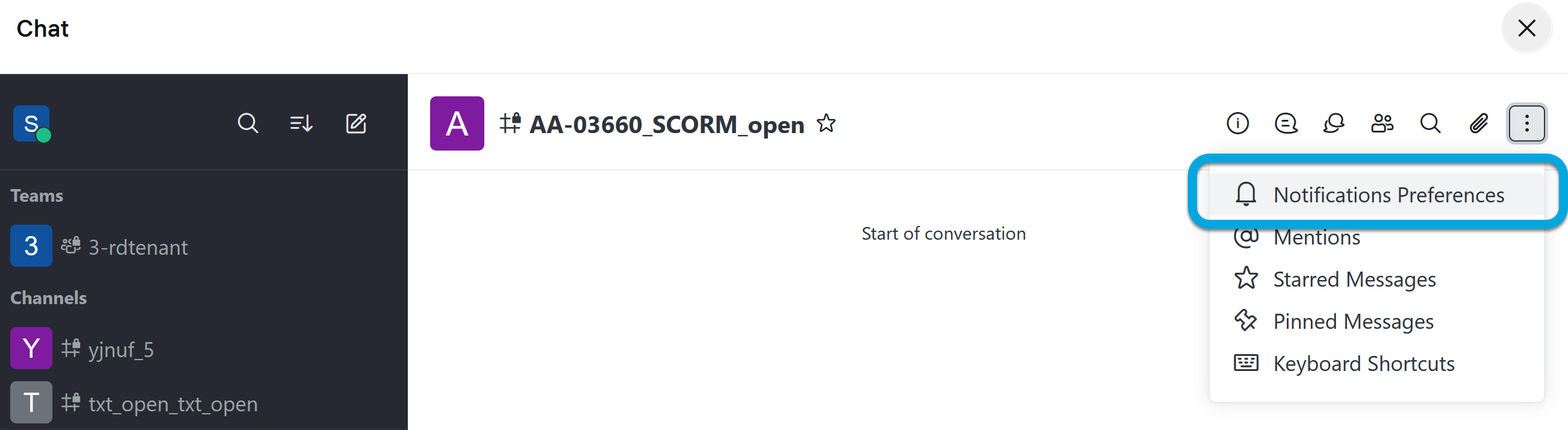
- Configure your notification preferences:
- Turn ON — enable to turn on notifications, disable if you want to turn off notifications.
- Mute @all and @here mentions — enable if you want to mute notifications sent to everybody in the channel.
- Mark as unread — enable to indicate when a channel contain unread messages.
Desktop- Alerts — select for which type of notifications you want to receive desktop alerts.
- Sounds — select the sound for desktop alerts.
Mobile- Alerts — select for which type of notifications you want to receive mobile alerts.
Email- Alerts — select for which type of notifications you want to receive email notifications.
- Click Save.