
Scheduling availability for course activities
In the Scheduling menu of a course (or program), you can specify when individual activities in the course become available to specific learners and groups, as well as define the actions permitted during these periods.
By default, activity availability settings are derived from the academic term associated with the course's enrollment (see Enrolling learners for courses). With the Scheduling menu, you can customize these settings. For example, you can extend access to an activity for a learner or group, or adjust dates as needed.
To configure time constraints for activities in a course for particular learners:
- In the Learn management portal, click
 in the upper-left corner.
 - Go to Teaching > Courses.
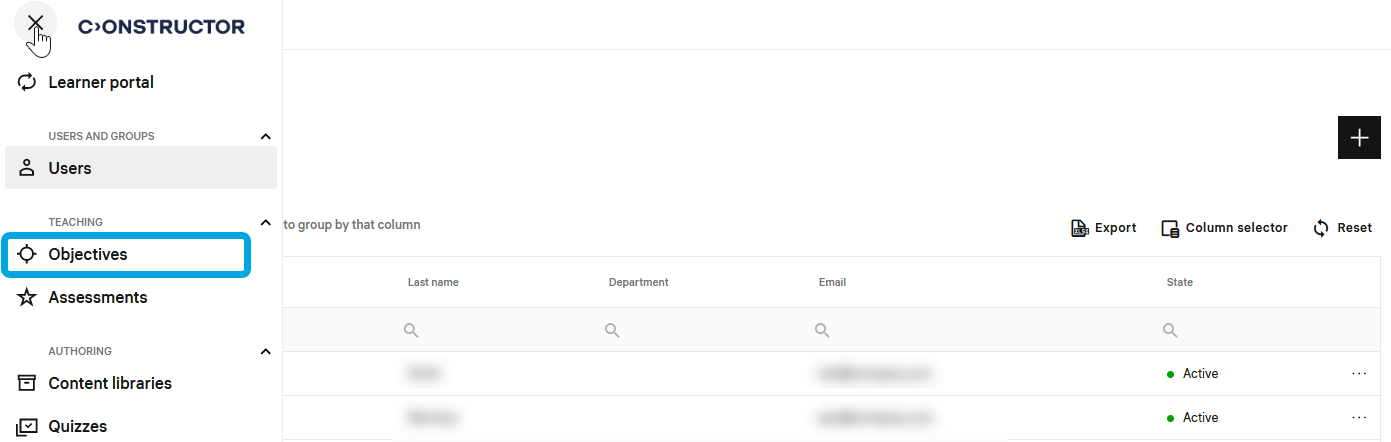
- In the courses list, double-click the required course to start editing.
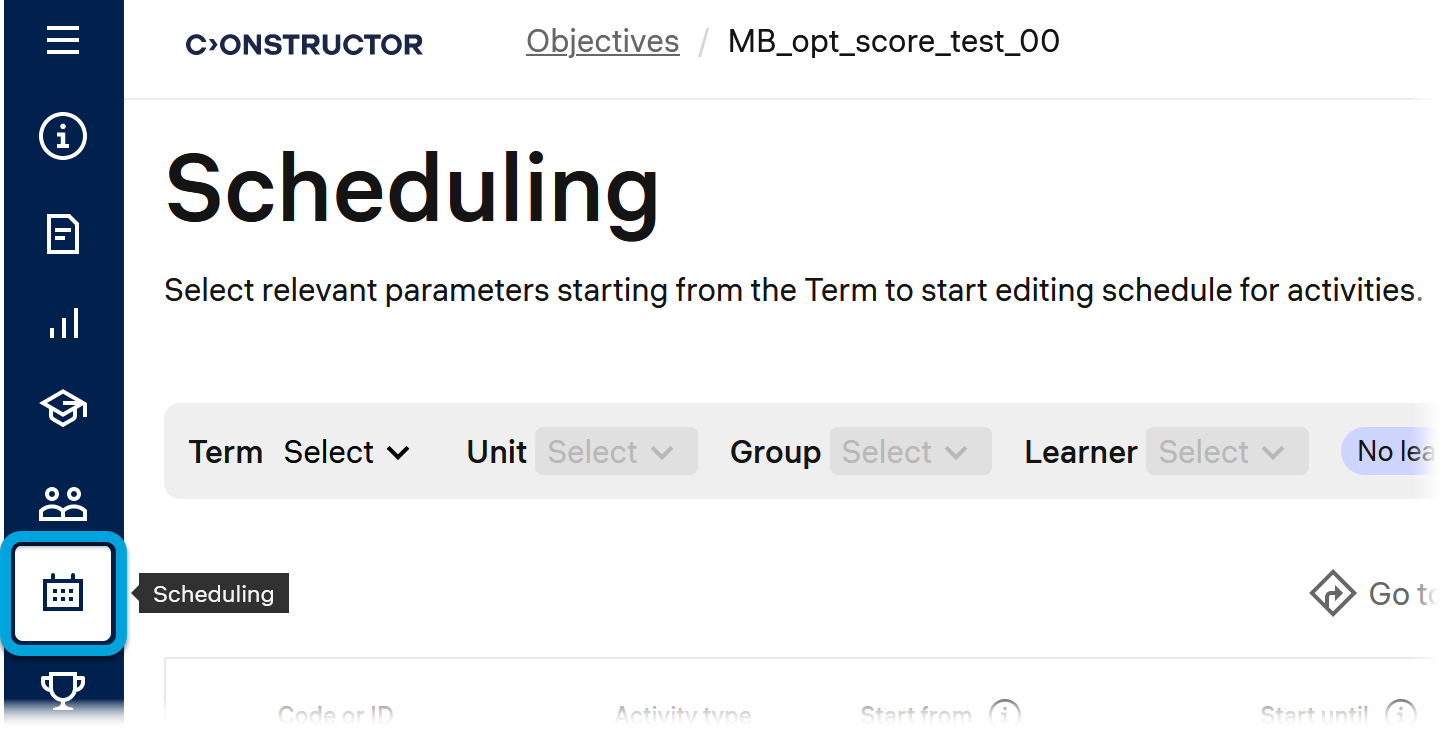
- In the leftmost bar, click the Scheduling icon.
- Select to which academic term and learners you want to apply the availability settings:
- Term — select the required academic term.
- Unit — if you need to configure time constraints for a unit, select the required unit.
- Group — if you need to configure time constraints for a group of learners, select the required group.
- Learner — if you need to configure time constraints for an individual learner, select the required learner.
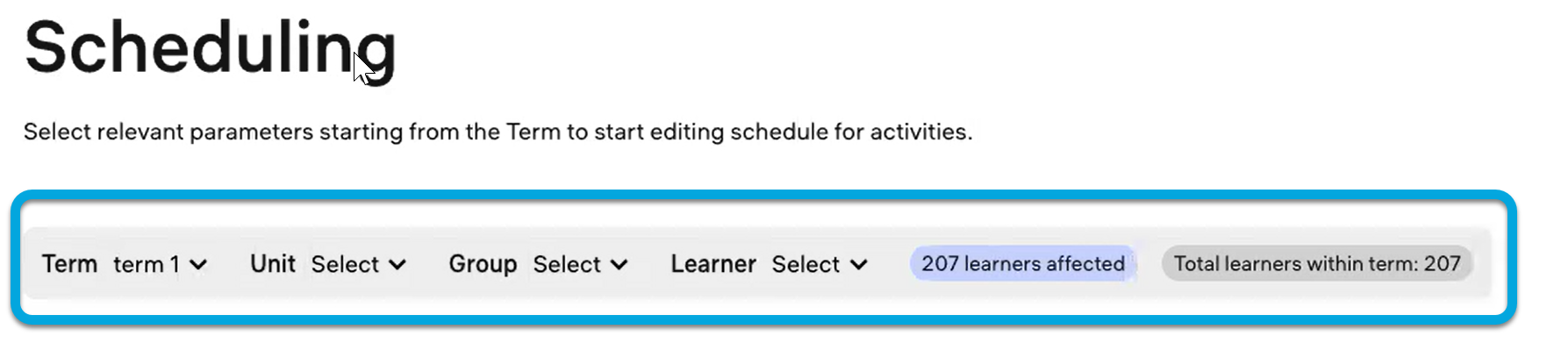
Note: The number of learners affected by the configured time constraints will be displayed as learners affected.
- In the activity table below, configure the necessary time constraints:
- Start from — the beginning date of the period when the selected learners can start the activity.
- Start until — the end date of the period when the selected learners can start the activity. After this date, the activity becomes unavailable for starting.
- Due date — the deadline by which the selected learners must submit the activity to avoid losing points.
- Grace period until — the deadline by which the selected learners can still complete the activity, although they might receive penalty scores for being late.
- Accessible until — the deadline by which the selected learners can review the activity content, but cannot proceed with its tasks.
- Reveal results — the date when the activity results (score and grade) become visible to the selected learners.
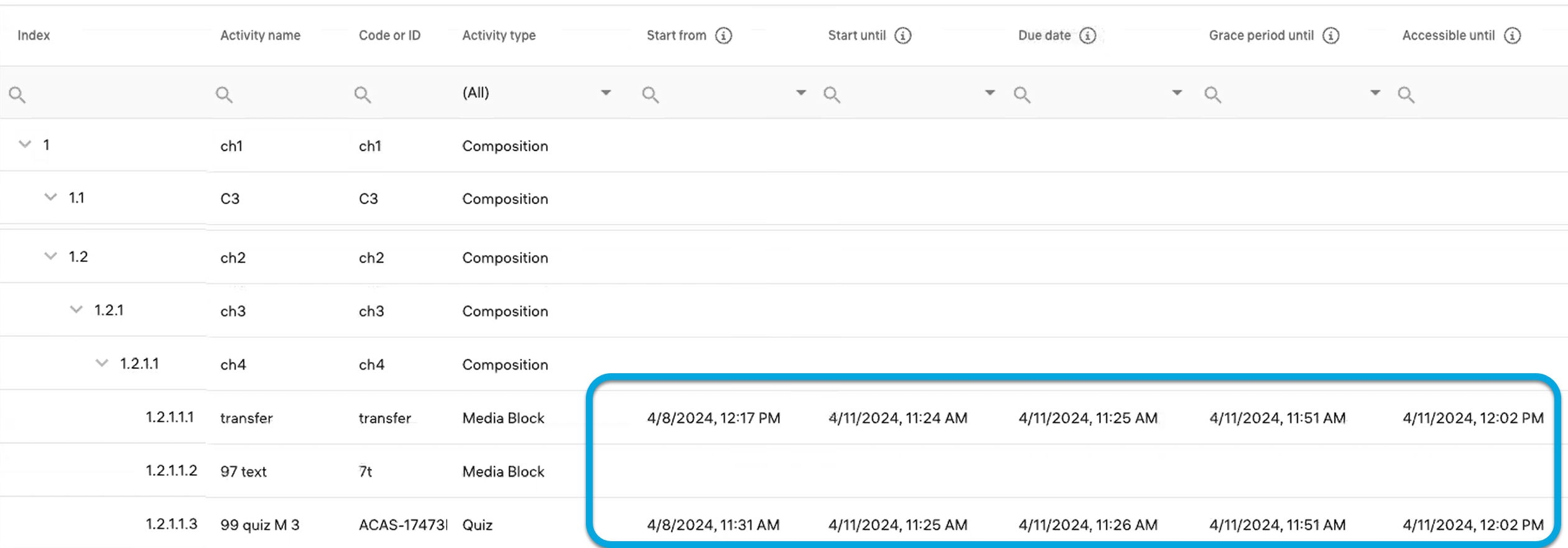
For the selected learners, the configured time constraints will apply to the course activities within the related enrollment.