Logging in to Constructor Learn
Logging in to the instructor interface of Constructor Learn is performed with the single sign-on technology (SSO). You can navigate to Constructor Learn from your educational organization site or by using the interface URL.
Instructor interface
The instructor interface of Constructor Learn has the same URL as the author interface, but only the instructor functions available.
To log in to the instructor interface by URL:
- Open https://{your_organization_domain}/teach (for example, https://constructor.cloud/teach).
- Enter your credentials.
- Click Sign in. The instructoruser interface will open.
Learner interface
If you need to check that a course is displayed correctly to your learners, you can access the learner interface in these two ways:
- By switching from the instructor interface
- By URL
Switching to the learner interface from the instructor interface
To switch to the learner interface from the instructor interface:
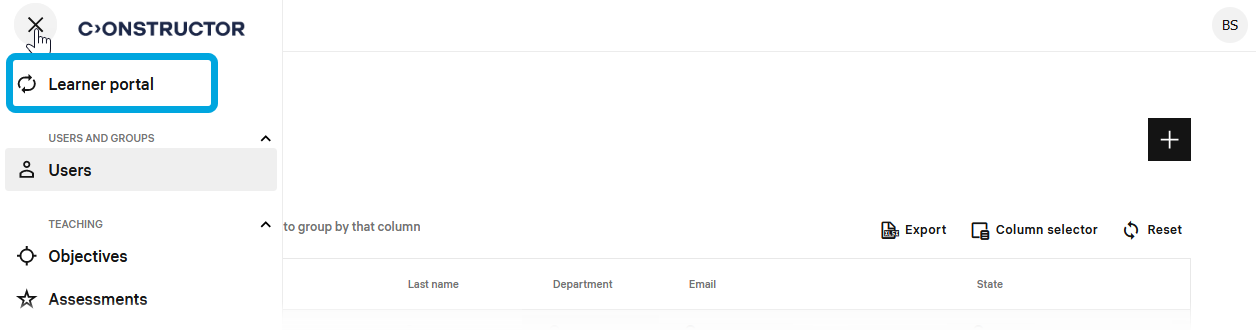
- Click the main menu icon in the upper-right corner of the screen.
- In the menu, click Learner portal. You will be redirected to the learner interface.
Accessing learner interface by URL
You can also access the author interface by a direct link that ends with /learn.
To log in to the learner interface by URL:
- Open https://{your_organization_domain}/learn (for example, https://constructor.cloud.com/learn).
- Enter your credentials.
- Click Sign in.
Returning to the instructor interface
To return back to the instructor interface from the learner interface, do this:
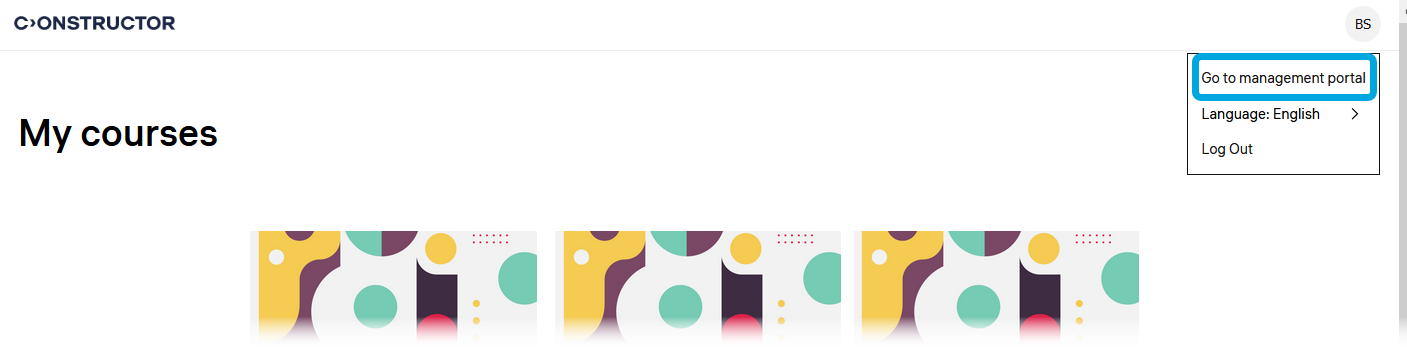
- Click the profile icon.
- In the menu, click Go to management portal.