
Groups Instructor Guide
Adding activities using the shortcut menu
You can create shortcuts in the Flow menu to quickly access your most frequently used activities. See Flow menu.
Click the red plus button next to the Flow menu to open a menu with frequently used features.
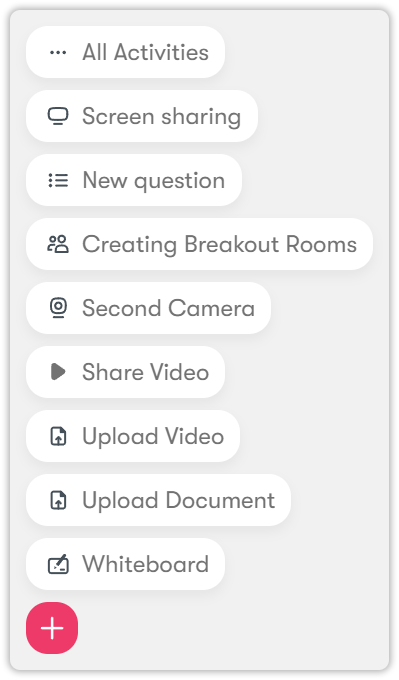
- After clicking Screen sharing, follow the steps provided in Videos and cameras.
- After clicking New question, follow the steps provided in Assessments.
- After clicking Working Groups, follow the steps provided in the Create Workgroups section.
- After clicking Second Camera, follow the steps provided in Videos and cameras.
- After clicking Share Video, follow the the steps provided in Videos and cameras.
- After clicking Upload Video, follow the the steps provided in Videos and cameras.
- After clicking Upload Document, follow the the steps provided in Files and whiteboards.
- After clicking Whiteboard, follow the the steps provided in Files and whiteboards.