
Groups Instructor Guide
Home
To access the Groups homepage, click Home on the left of the screen.
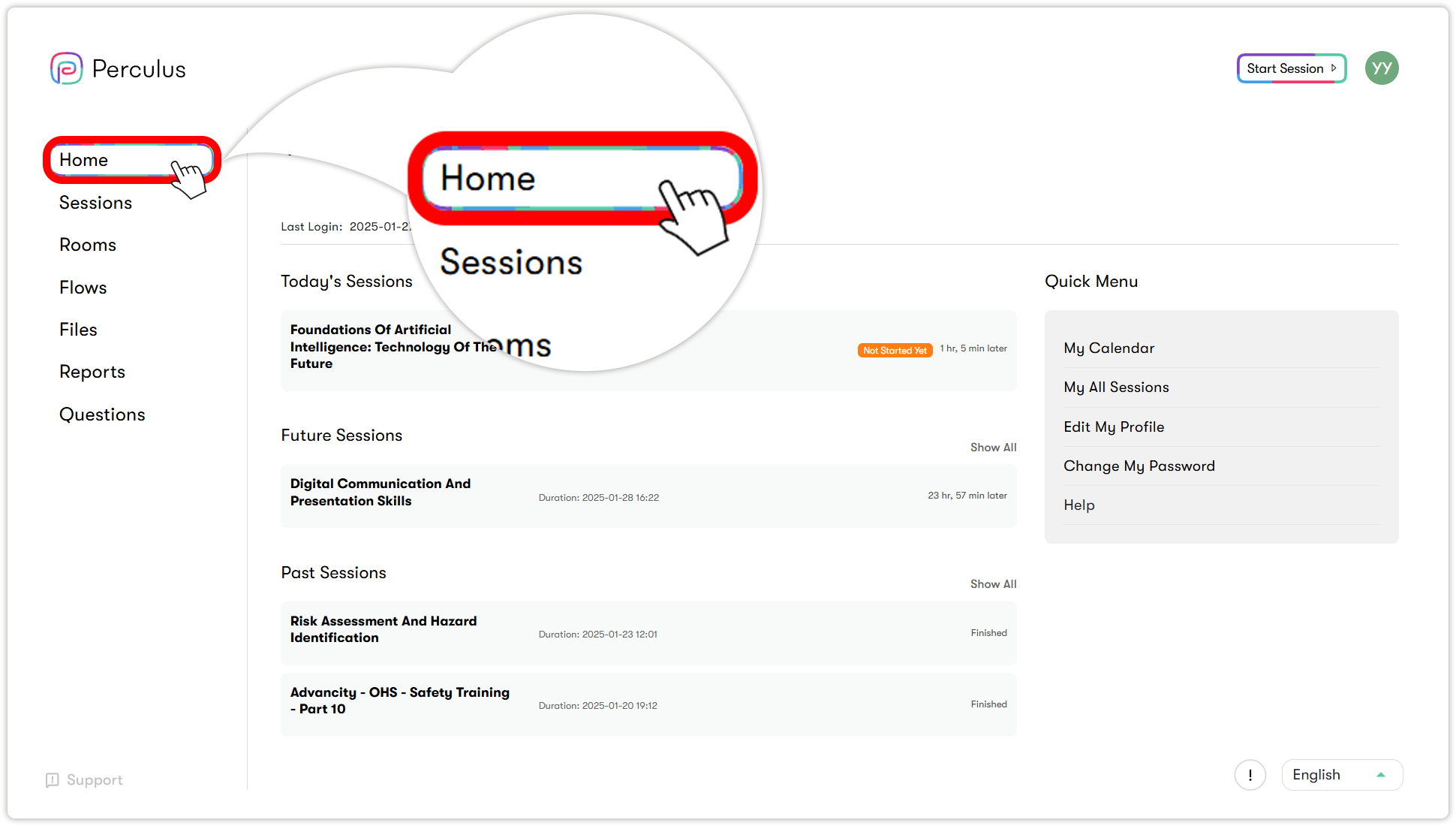
The page contains the following sections and menus:
- Today's Sessions: Lists all sessions scheduled for today, including those that have already started. You can see each session’s name, start time, status, and how long ago it began or how soon it will start.
- Future Sessions: Lists all upcoming sessions scheduled for future dates. You can see each session’s name, start time, status, and how soon it will start.
- Past Sessions: Lists all sessions that have already taken place or were unable to occur. You can see each session’s name, start time, and status information.
- My Calendar: Opens your calendar view, where you can see past, current, and upcoming sessions in daily, weekly, or monthly formats. Click a session name to join a virtual class or watch a recorded session.
- My All Sessions: Opens the sessions page, where you can view all your sessions in one place.
- Edit My Profile: Opens the settings page, where you can update your personal information.
- Change My Password: Opens the password change window. You can also change your password from within your profile settings.
- Help: Opens the Help section, where you can chat with support staff or access help documentation.