
Virtual room menus
Settings menu
In the Settings menu, you can make adjustments to your session settings and your profile.

When you click on the settings icon, you see the following options:
- Messaging — contains all communication settings for controlling messages, notifications, and sound alerts.
- User — contains options for handling participant settings.
- History — contains messaging records and options to delete past session messages.
You can also upload or update your profile photo in Settings. To do so, click Change.
Managing messaging settings
If you open Messaging, you see a list of features available when communicating with other users.
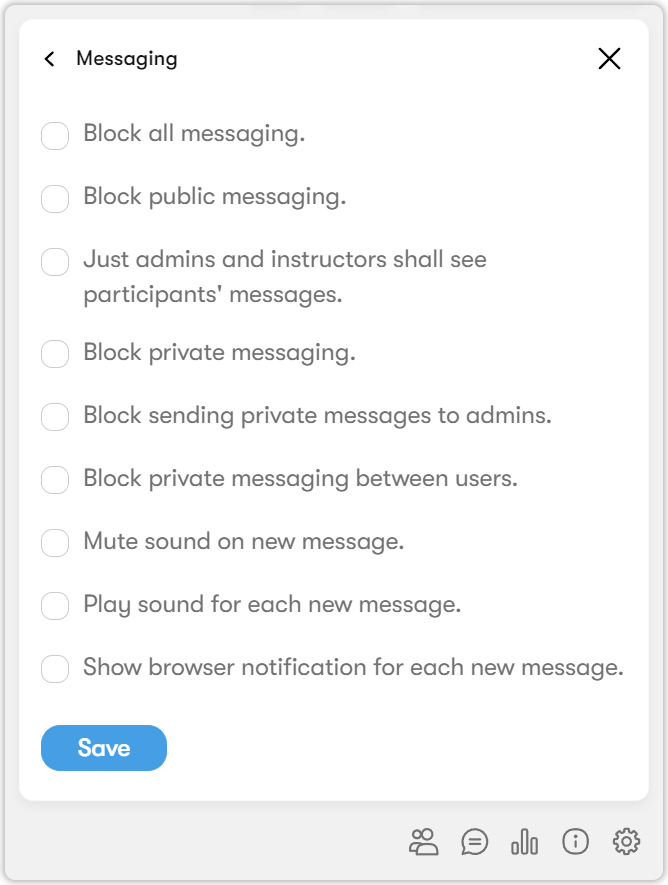
To enable a feature, check the box next to it and click Save.
Managing user settings
If you open User, you see a list of session participant settings.
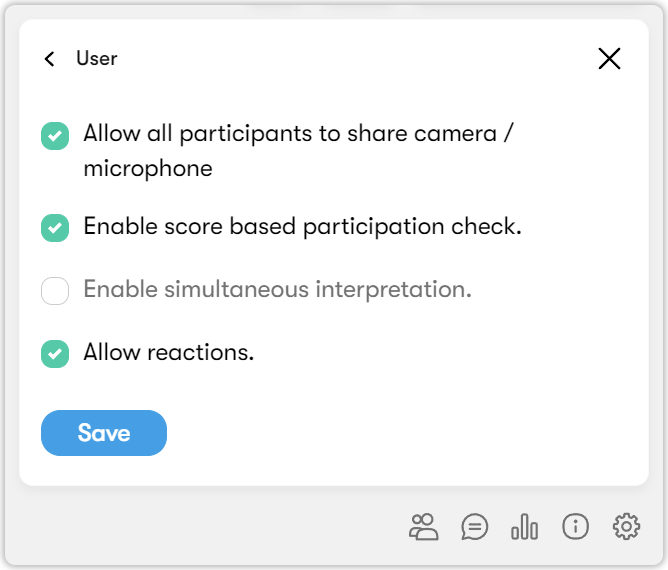
To enable a feature, check the box next to it and click Save.
Managing history settings
If you open History, you can view and configure session messaging history settings.
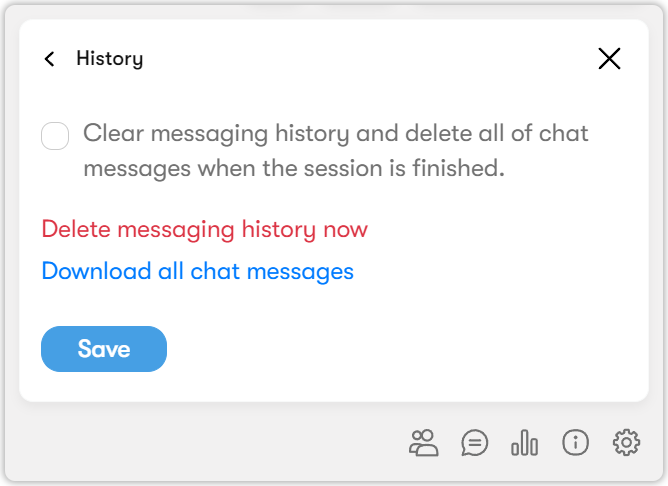
You can:
- Enable automatic deletion of chat messages for ended sessions.
- Download chat messages.
- Clear the messaging history.