
Creating video components with Vimeo
Publishing videos
You can use Vimeo videos as standalone assignments. To do it, you need to publish the required videos.
To publish a video:
- In the Learn management portal, click
 in the upper-left corner.
 - Go to Authoring > Content libraries.
- Click Vimeo.
- Find the required video.
- Click
 to call the menu, then click Publish.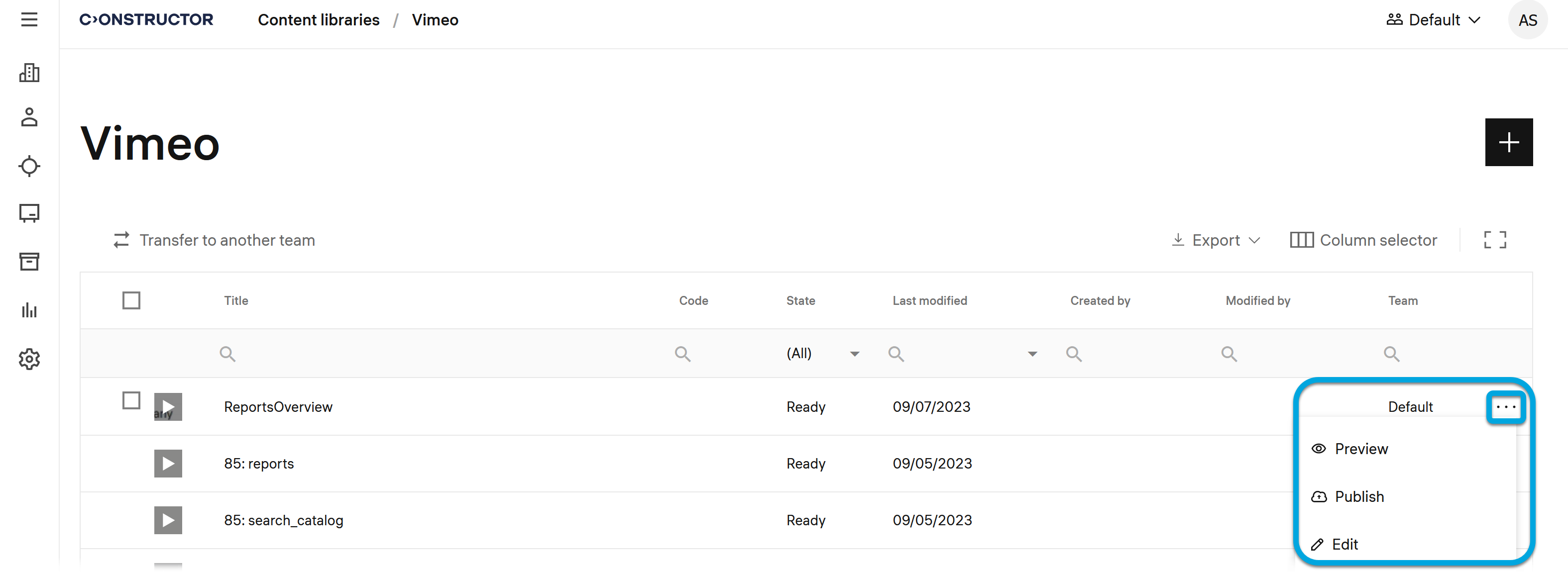
Now the video can be assigned to learners as a separate activity.
Note: To make a composition that contains a video available for learners' enrollment, ensure that the composition is in the Ready status.